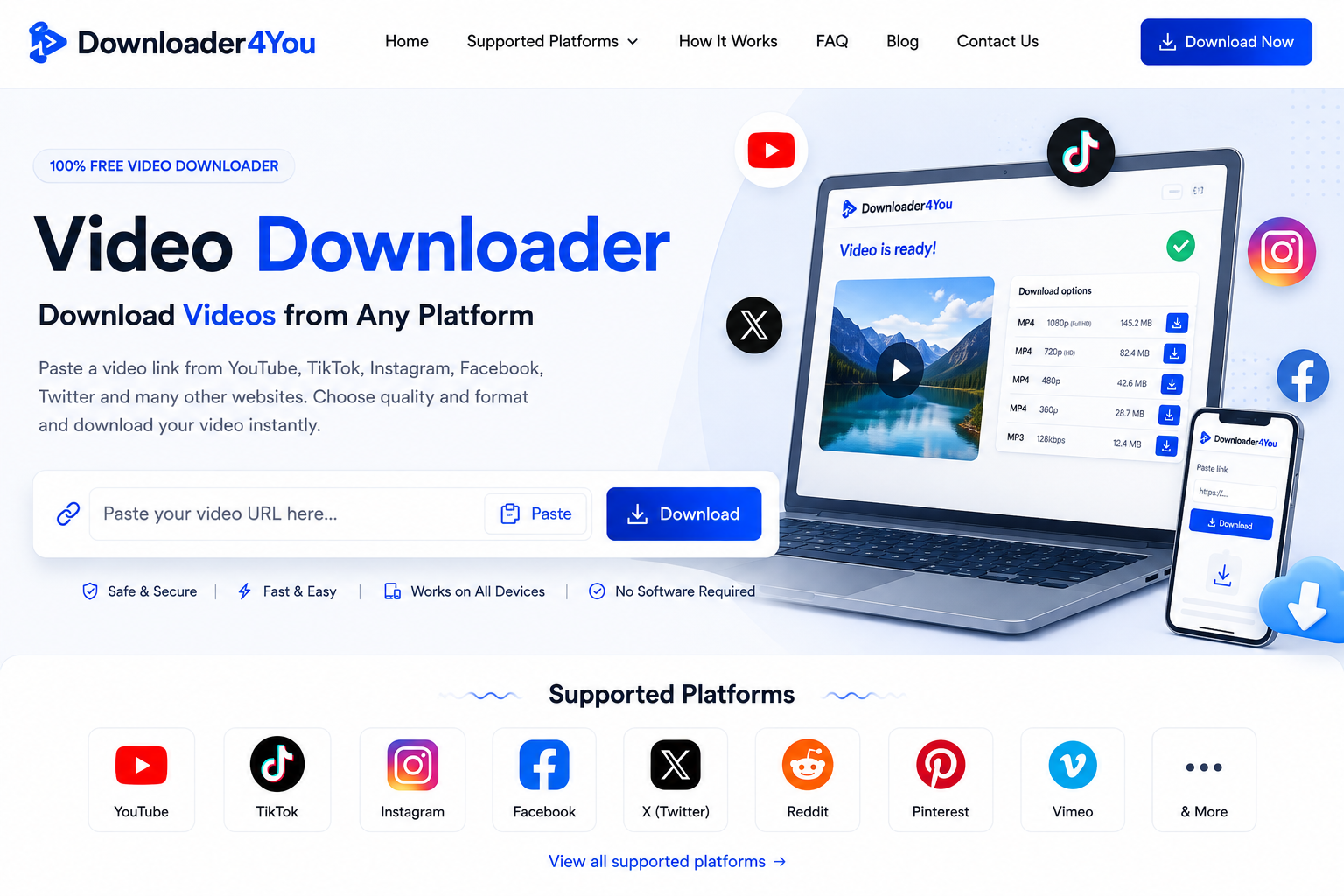
Video Downloader for processing supported video links from across the web. With Downloader4You, you can paste a supported video URL into the downloader, check the available options and save the resulting media directly to your device.
The service is built around a straightforward browser experience. You do not normally need to install a separate application or create an account simply to process a supported video link.
Whether you are using a computer, smartphone or tablet, Downloader4You gives you one place to start a video download from a supported source.
Important: Only download videos and other media that you have the legal right or permission to download. Downloader4You does not grant ownership or permission to use third-party content.
Download Videos Online With Downloader4You
Finding a video online is easy. Keeping an authorized copy of that video can be less straightforward because every platform handles media differently.
Downloader4You provides a simple starting point for supported URLs.
Instead of searching for a different downloader every time you encounter a video on another supported platform, you can use the Downloader4You interface to submit the link and see what options are available.
The service works by processing the URL you provide. When the source is supported and the content can be accessed, Downloader4You can present available media options for the requested video.
The exact result can vary from one video to another.
Some videos may have several quality options, while others may have only one. Some sources may provide different formats, while certain content may not be downloadable at all.
This is normal because Downloader4You does not control the third-party platforms where the original videos are hosted.
A Simple Way to Download a Video Online
You do not need advanced technical knowledge to use Downloader4You.
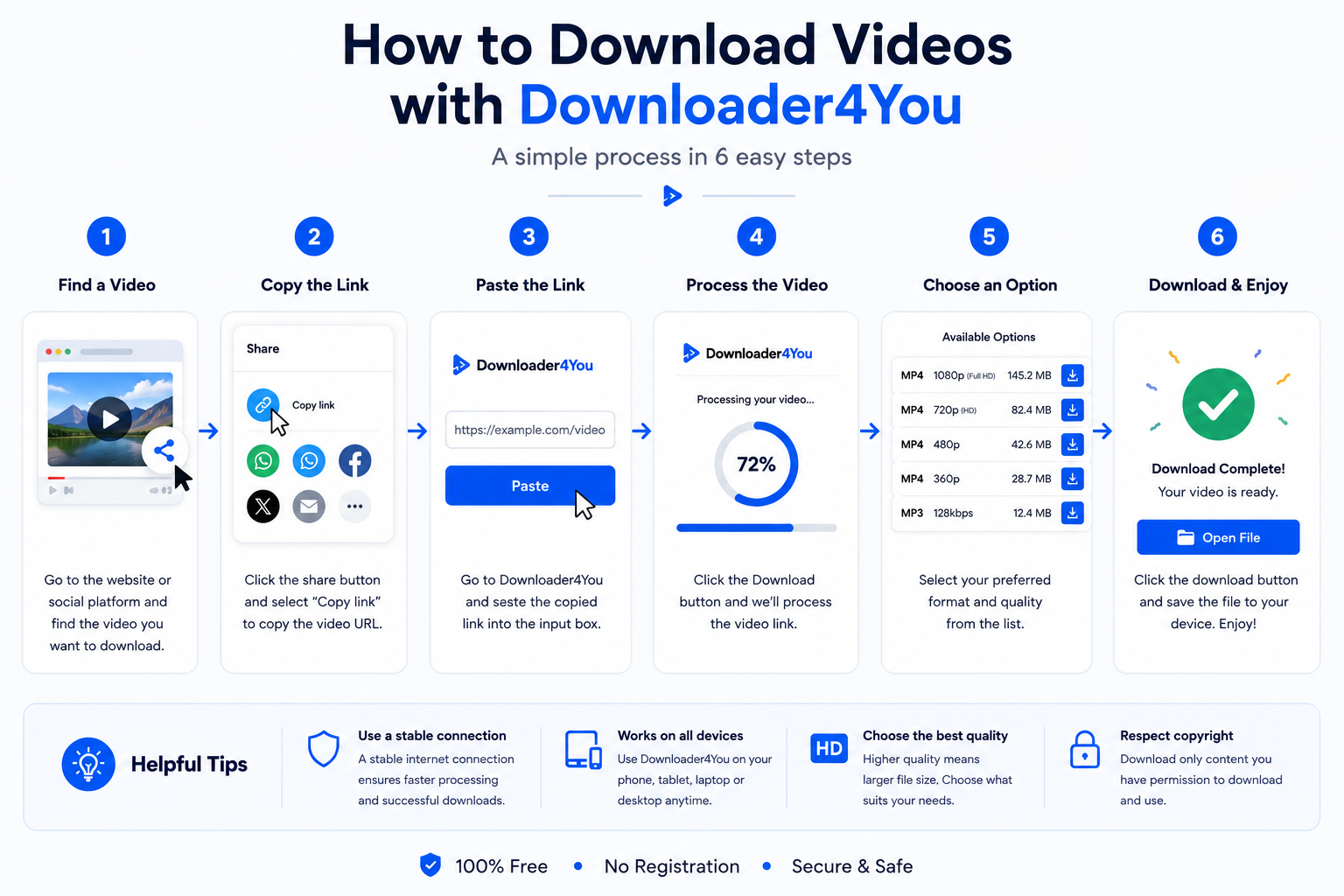
The process is designed around the URL of the video you want to process.
H3: Find a Supported Video
Open the platform where your video is available.
Make sure you can legitimately access the content and that the platform is supported by Downloader4You.
H3: Copy the Video URL
Use the platform’s sharing tools to copy the video’s web address.
Depending on the platform, this may be called Copy Link, Share, Copy URL or something similar.
H3: Enter the URL
Return to Downloader4You and paste the address into the downloader field.
Check that the complete URL has been inserted.
H3: Start the Download Process
Submit the URL.
Downloader4You will attempt to identify and process the supported media associated with the link.
H3: Review Available Options
If the video can be processed, the available options may include different resolutions, formats or media types.
Choose the option you need.
H3: Save the File
Use the available download option to save the file to your device.
The exact file type, quality and availability depend on the original source.
One Video Downloader for Multiple Platforms
People watch videos on many different websites.
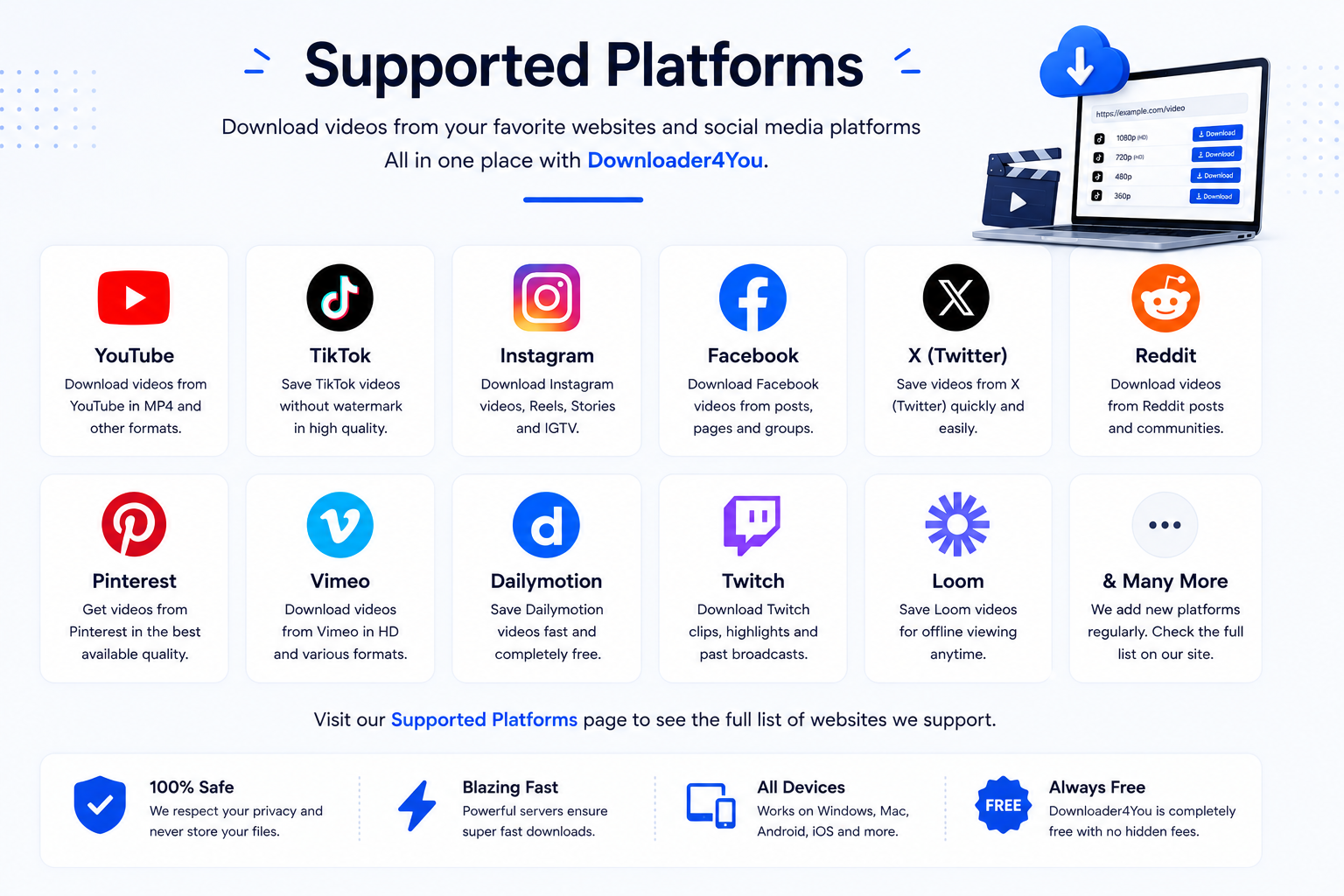
A creator might publish a video on YouTube, a short clip on TikTok, a tutorial on Instagram, or another piece of content on Facebook, X or Reddit.
Downloader4You is designed to support multiple platforms from one browser-based interface.
You can visit our individual platform pages to find information about the services currently supported.
Popular supported categories include:
- YouTube
- TikTok
- X
- Vimeo
- Dailymotion
- Twitch
- Substack
- Mastodon
- Lemon8
- Loom
- Medal
- Other supported services
The list of supported platforms can change over time.
For the current list, visit:
Social Media Video Downloader
Social platforms have transformed how people discover and share video.
Short-form clips, tutorials, interviews, livestream recordings, educational content and creator videos can appear across dozens of services.
A social media video downloader can be useful when you have permission to save content and want to keep an offline copy.
Downloader4You brings supported social-video URLs into one workflow.
Rather than learning a different interface for every service, you can start with the same basic process:
Copy the URL → Paste it into Downloader4You → Process the link → Choose an available option
However, the availability of a download is never a guarantee that you are legally permitted to copy or reuse the content.
Copyright owners, creators and platforms can have different rights and restrictions.
YouTube Video Downloader
YouTube is one of the largest video platforms on the internet, with content covering entertainment, education, tutorials, music, technology and more.
Where supported, Downloader4You can process eligible YouTube URLs.
The result depends on the specific video and the options that can be retrieved.
If you are downloading a video that you did not create, make sure your intended use is permitted.
For example, downloading your own published video is different from downloading someone else’s copyrighted video and redistributing it.
Visit our dedicated YouTube Video Downloader page for more information.
Internal link: /youtube-video-downloader/
TikTok Video Downloader
TikTok is particularly popular for short-form video.
When a supported TikTok URL can be processed, Downloader4You can provide available download options.
A video’s availability may depend on its accessibility, source URL and changes to the TikTok platform.
You should also respect the rights of the creator before saving or sharing TikTok content.
Internal link: /tiktok-video-downloader/
Instagram Video Downloader
Instagram contains videos, Reels and other forms of visual content.
Downloader4You may process eligible Instagram URLs when the content and technical conditions allow it.
Private content, restricted accounts and inaccessible media may not be available.
Always respect the creator’s copyright and privacy rights.
Internal link: /instagram-video-downloader/
Facebook Video Downloader
Facebook hosts a large amount of video content from individuals, businesses, publishers and communities.
Supported Facebook URLs can be submitted through Downloader4You to check whether downloadable media is available.
Some videos may not work because of privacy settings, access restrictions or changes to the platform.
Internal link: /facebook-video-downloader/
X Video Downloader
X contains short videos, clips, news content, discussions and other media.
When an eligible X URL is supported, Downloader4You can attempt to process the associated video.
Availability can change as the platform updates its technology.
Internal link: /x-video-downloader/
Reddit Video Downloader
Reddit contains videos posted across thousands of communities.
Downloader4You can process supported Reddit video URLs when the media is accessible and technically available.
The same copyright and responsible-use principles apply to Reddit content as to videos hosted elsewhere.
Internal link: /reddit-video-downloader/
Pinterest Video Downloader
Pinterest is widely used for discovering visual ideas, tutorials, recipes, designs and other media.
Where supported, Downloader4You can process eligible Pinterest video links.
Always consider the copyright and licensing status of the original material before downloading or reusing it.
Internal link: /pinterest-video-downloader/
Download Videos in Different Qualities
One of the most important things users look for in an online video downloader is quality.
The original platform may make multiple versions of a video available.
Depending on the source, you might see options such as:
- 360p
- 480p
- 720p
- 1080p
- Higher resolutions where available
The options shown by Downloader4You depend on what can actually be retrieved from the source.
A higher resolution generally means a larger file.
For example, a 1080p video will normally require more storage than a 360p version.
If you are saving a video for a phone, a lower resolution may sometimes be sufficient. If you want to watch it on a larger screen, a higher available resolution may be preferable.
HD Video Downloader
An HD video downloader can be useful when you want to preserve more detail from the original video.
Downloader4You may display HD options when the source provides them and the media can be retrieved.
However, there is an important distinction between downloading HD content and artificially increasing resolution.
Downloader4You does not promise to turn a low-resolution video into genuine high-definition footage.
The quality of the downloaded file is fundamentally limited by the source.
If a platform provides only a low-resolution version, there may be no genuine HD version available to download.
MP4 Video Downloader
MP4 is one of the most commonly encountered video formats.
Its broad compatibility makes it useful across many devices and media players.
When an MP4 option is available for supported content, you may be able to select it from the available download choices.
An MP4 file can be useful for:
- Smartphones
- Tablets
- Windows computers
- Mac computers
- Compatible smart TVs
- Media players
- Video-editing workflows
The exact formats offered by Downloader4You depend on the source and the media available for processing.
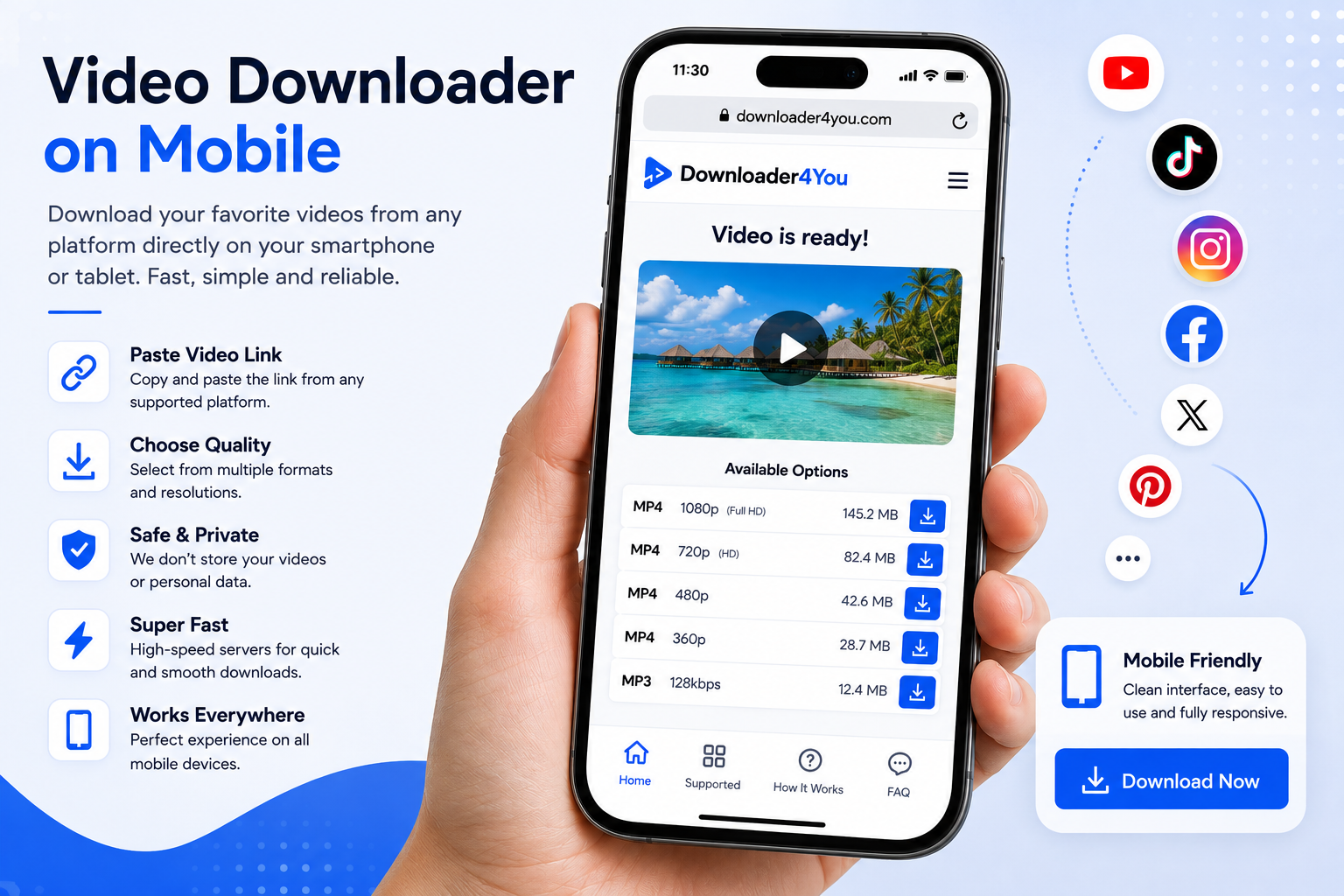
Video Downloader for Android and iPhone
You do not need to sit at a desktop computer to use Downloader4You.
The service is designed to be accessible through compatible mobile browsers.
Android
Open a modern browser, visit Downloader4You and paste the supported URL.
iPhone
Open your browser, visit the Website and enter the video link.
Tablets
The same browser-based approach can be used on compatible tablets.
The actual download behavior can vary depending on the browser, operating system and device settings.
Video Downloader for PC and Mac
Desktop users can also use Downloader4You without normally installing dedicated downloading software.
A larger display can make it easier to compare available video resolutions and organize downloaded files.
The service can be accessed through compatible browsers on computers running common operating systems.
The basic workflow remains simple:
Open Downloader4You → Paste the URL → Process → Select an option → Save
Save Videos for Offline Viewing
Internet access is not always available.
Travel, flights, train journeys, weak connections and temporary outages can all make online streaming inconvenient.
When you have the right to download a particular video, keeping an offline copy can make it easier to access later.
Examples include:
- Your own videos
- Public-domain material
- Content released under a downloadable license
- Content where the creator has explicitly granted permission
- Other media you are legally authorized to save
Remember that offline access does not change the copyright status of the original content.
If you are not authorized to copy the video, downloading it does not create that authorization.
Download Your Own Videos
One practical use for a video downloader is retrieving your own published content.
Creators sometimes lose access to original project files or simply need a copy of a video that remains available on a platform.
If the source is supported and the video can be retrieved, Downloader4You may provide a convenient way to obtain a copy of your own published content.
However, keeping original files locally or in secure cloud storage is recommended whenever possible.
A downloaded copy should not be considered a replacement for proper backups.
Why Use a Browser-Based Video Downloader?
Installing software is not always convenient.
You may be using a shared computer, a temporary device or a phone where you do not want another application.
A browser-based video downloader can simplify access because the basic service is available through a web page.
No complicated installation
You can start directly from the Website.
Works across devices
Use compatible desktop or mobile browsers.
One interface
Supported platforms can be processed through the same Website.
Easy URL workflow
The process begins with the link to the video.
Flexible access
You can use the service when you need it without maintaining a dedicated application.
What Happens When a Video Cannot Be Downloaded?
Sometimes a URL simply will not produce a downloadable result.
This does not necessarily mean there is a problem with your device.
Possible reasons include:
The platform is not supported
Downloader4You may not currently support the website associated with the URL.
The video is private
Private or restricted content may not be accessible.
The video has been deleted
If the original content no longer exists, there may be nothing to retrieve.
The platform has changed
Third-party websites regularly modify their technical systems.
Temporary technical problems
A source or Downloader4You may temporarily experience an issue.
Regional restrictions
Some content may not be available in every location.
Unsupported format
A particular media format may not be available for processing.
If a download fails, check the URL and try again later. If the problem continues, you can contact us through our Contact Us page.
Internal link: /contact-us/
Can Downloader4You Download Private Videos?
Downloader4You is not designed to bypass access restrictions.
This includes attempts to circumvent:
- Private accounts
- Login systems
- Password protection
- Paywalls
- Authentication requirements
- Technical access controls
If you cannot legitimately access the content, you should not attempt to use Downloader4You to circumvent that restriction.
This is also important from a privacy and security perspective.
Copyright and Responsible Downloading
A video downloader is a technical tool. It does not determine who owns a video or whether a particular use is legally permitted.
Before downloading content, consider whether you have:
- Created the video yourself;
- Received permission from the copyright owner;
- A license allowing the download;
- A lawful right to make the copy;
- Permission from the relevant creator or publisher.
You should also consider the terms that apply to the platform hosting the content.
Downloader4You does not encourage users to infringe copyright.
Downloading a video and then uploading it somewhere else, selling it, distributing it or using it commercially can involve additional legal restrictions.
If you believe copyrighted material has been misused through our service, please consult our Copyright & DMCA / Rights Complaint Policy.
Internal link: /copyright-dmca-rights-complaint-policy/
Is Downloader4You Responsible for the Videos Users Download?
Users are responsible for the content they choose to download and for how they subsequently use it.
Downloader4You does not select the third-party videos entered by users and does not claim ownership of those videos.
The service does not grant users copyright, licensing or redistribution rights.
You are responsible for ensuring that your use of the service complies with applicable laws and the rules that apply to the source content.
This principle also applies to adult or age-restricted content and other prohibited material. See our 18+ / Prohibited Content Policy for more information.
Internal link: /18-prohibited-content-policy/
Privacy and Data
Downloader4You is designed as a browser-based service rather than a personal media-storage platform.
We do not intentionally operate a permanent personal video library containing users’ downloaded content.
Certain technical information may nevertheless be processed where necessary to operate, secure and improve the Website.
Third-party services such as analytics and advertising providers may also process information according to their respective policies.
For complete information about data handling, cookies and third-party services, please read:
Frequently Asked Questions
What is Downloader4You?
Downloader4You is an online service for processing supported video URLs and providing available download options.
What is a video downloader?
A video downloader is a service or application that can process an online video URL and provide a downloadable media file when the source and technical conditions allow it.
Is Downloader4You free?
The core service is designed to be available without requiring a paid subscription. Advertising and other legitimate monetization methods may support the Website.
Do I need to install software?
No dedicated software is normally required to access the browser-based service.
Can I use Downloader4You on my phone?
Yes. You can use the service through a compatible mobile browser.
Can I use Downloader4You on a computer?
Yes. Downloader4You can be accessed through compatible desktop browsers.
Can I download any video?
No. Download availability depends on the source, supported platform, accessibility, technical conditions and applicable restrictions.
Can I download private videos?
Downloader4You does not provide tools for bypassing private or authenticated access.
What video quality can I download?
Available resolutions depend on what the source provides and what can be retrieved.
Can I download HD videos?
HD options may be available when the original source provides them.
Can I download MP4 videos?
An MP4 option may be available for supported content when the source and processing system provide it.
Can I download my own videos?
Yes, where the URL is supported and the content can be retrieved.
Does Downloader4You store my downloaded videos?
Downloader4You does not intentionally operate a permanent public library of users’ downloaded third-party videos.
Why does my video sometimes fail?
The source platform may be unavailable, the URL may be unsupported, the video may be private or deleted, or technical changes may prevent processing.
Is Downloader4You affiliated with YouTube or other platforms?
No. Downloader4You is an independent service unless explicitly stated otherwise.
Start With a Supported Video URL
Have a video link ready?
Paste it into Downloader4You and see whether the source is currently supported.
If downloadable options are available, you can select the format or quality that suits your needs and save the resulting file.
Downloader4You provides a simple browser-based way to process supported online video links from computers, smartphones and tablets.
Use the service responsibly, respect copyright and privacy rights, and make sure you have the necessary permission before downloading or reusing third-party content.