Instagram Video Downloader
An Instagram Video Downloader can make it easier to save supported Instagram videos when you need a copy for offline viewing, personal organization, backup, or another permitted use.
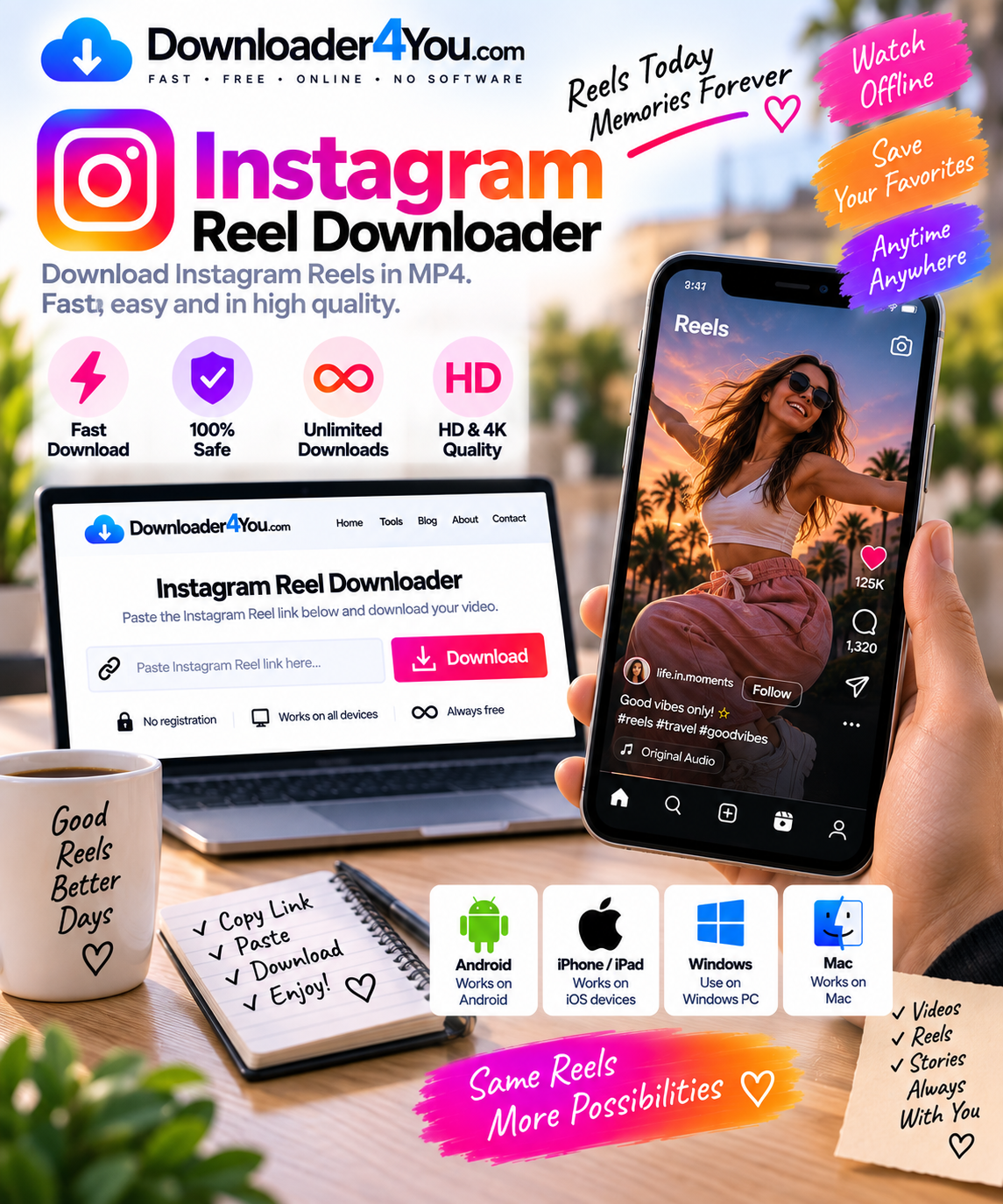
Downloader4You provides a browser-based way to process an Instagram URL without requiring a dedicated desktop downloader. Copy the link to the supported Instagram content, paste it into Downloader4You, and check the available download options.
The service can be accessed from a computer, smartphone, or tablet. This makes it practical whether you are browsing Instagram on a mobile device or working from a desktop browser.
Downloader4You does not give you ownership of content created by someone else. Always make sure you have the necessary rights or permission before downloading or reusing Instagram media.

Download Instagram Videos Online
Instagram is used for many different types of visual content, from short videos and Reels to tutorials, travel clips, educational content and creator posts.
There are situations where someone may legitimately want a local copy of a video. For example, a creator might want to archive their own content, while a user may want to keep a permitted video available for offline viewing.
With an Instagram Downloader Online, the process can be completed directly through a web browser.
How it works
- Open Instagram.
- Locate the supported video.
- Copy its URL.
- Open Downloader4You.
- Paste the Instagram link.
- Start processing the URL.
- Review the available options.
- Save the resulting file.
No complicated settings are required for the basic workflow.
The available format, resolution and download options can depend on the individual Instagram URL and the media accessible from it.

Instagram Downloader for Reels
Instagram Reels have become one of the most common forms of short video content on the platform.
If you have permission to save a Reel, an Instagram Reel Downloader provides a convenient way to process its supported URL.
You can use the same basic URL-based method instead of searching for separate software specifically designed for Reels.
Download an Instagram Reel
1. Find your Reel
Open Instagram and navigate to the Reel you want to save.
2. Copy the link
Use Instagram’s sharing options to copy the Reel URL.
3. Open Downloader4You
Visit the Instagram Video Downloader page.
4. Insert the URL
Paste the copied link into the downloader field.
5. Process the link
Start the download process.
6. Select an available option
If several quality or format choices are provided, choose the one that suits your needs.
7. Save the video
Complete the download through your browser.
This workflow is particularly convenient when you only need to download an occasional Reel and don’t want to install another application.
Instagram Story Downloader
Instagram Stories are temporary posts that can include photos, videos, announcements, tutorials and other short-form content.
If you created the Story yourself or have permission to save it, an Instagram Story Downloader can be useful for keeping an authorized copy.
Story URLs can behave differently from standard video posts, and access can depend on the content’s availability and privacy settings. As a result, not every Story URL will necessarily be downloadable.
Downloader4You should not be used to bypass private-account restrictions or other access controls.
For your own Stories, downloading can be useful for maintaining a personal archive or repurposing your own material on platforms where you have the necessary rights.
Instagram Downloader Online
One of the advantages of an online Instagram Downloader is that you can work from your browser.
You don’t have to install a dedicated program simply to process a supported URL.
Downloader4You is designed around a straightforward process:
Copy the link → Paste the link → Process → Download
This approach works well for people who use different devices because the same website can be accessed from supported browsers.
You can use the downloader from:
- Android phones
- iPhones
- iPads
- Windows PCs
- Mac computers
- Tablets
- Other compatible devices
Your device and browser may affect how the downloaded file is saved.
Instagram Downloader MP4
MP4 is a widely supported video format and is commonly used for playback on modern devices.
When an MP4 option is available for a supported Instagram URL, you can select it to save the video in a convenient format.
An Instagram Downloader MP4 can be useful if you want a video file that can be opened by many common media players and devices.
The actual formats available through Downloader4You depend on the media source and processing options available at the time.
Don’t assume that every Instagram video will have identical format or resolution choices.
Instagram Video Downloader HD
Video quality can be important when saving your own content or an authorized video for offline use.
Depending on the source, Downloader4You may provide different quality options.
Possible resolutions can vary from one video to another. A higher-resolution version may be available for some sources, while another URL may only provide a lower-resolution option.
Using an Instagram Video Downloader HD is useful when a higher-quality version is available and you want to preserve more visual detail.
However, a larger file also requires more storage space. If you are downloading to a smartphone, a smaller resolution may sometimes be more practical.
Instagram Downloader 4K
Some users specifically search for an Instagram Downloader 4K because they want the highest available resolution.
The important point is that a downloader cannot create genuine 4K quality when the original source does not provide it.
If the supported Instagram content is available at a particular resolution, the downloader can only work with the media options accessible from that source.
Therefore:
Original quality determines the maximum available quality.
If 4K is available, you can select it when presented. If it is not available, choosing a 4K option elsewhere cannot magically improve the original video.
Instagram Downloader Without Watermark
Instagram Downloader Without Watermark is another search term associated with saving Instagram videos.
A downloaded file may or may not contain visual branding depending on the source and available media.
It’s important to understand that downloading a video does not remove copyright ownership.
If you are downloading your own Instagram content, keeping a clean local copy can be useful for archiving and future editing.
For someone else’s content, you should not remove attribution, branding or other identifying elements and then republish the material as your own.
Always follow the creator’s instructions and applicable copyright rules.
Download Instagram Videos on Android
You can use Downloader4You from an Android browser without necessarily installing a separate downloader app.
Android workflow
Step 1: Open Instagram.
Step 2: Find the video or Reel you are authorized to download.
Step 3: Open the sharing options and copy the link.
Step 4: Open your preferred Android browser.
Step 5: Visit Downloader4You.
Step 6: Paste the Instagram URL.
Step 7: Start processing.
Step 8: Select an available download option.
Step 9: Save the file to your device.
The exact location of downloaded files depends on the Android version and browser being used.
A browser-based solution can also avoid the need to install an unknown APK or unofficial application.
Instagram Video Downloader for iPhone
An Instagram Video Downloader for iPhone can be accessed through a compatible mobile browser.
The general process is similar to Android:
- Open Instagram.
- Find the permitted video.
- Copy its URL.
- Open Downloader4You in your browser.
- Paste the link.
- Process the URL.
- Select an available option.
- Save the resulting file.
Depending on your iOS version and browser, downloaded files may be handled through the browser’s download interface or the Files application.
You don’t need to provide your Instagram password to Downloader4You to process a normal supported URL.

Instagram Downloader for PC and Mac
Desktop users can also use Downloader4You to process supported Instagram links.
This can be particularly useful when you want to archive your own videos, organize authorized media or work with downloaded files on a larger screen.
On Windows
Copy the Instagram URL, open Downloader4You in your browser, paste the link and process it.
On Mac
The same process works through a compatible browser.
A desktop browser can also make it easier to move downloaded files into folders for organization, backup or editing.
Instagram Download Video for Personal Archives
A common legitimate reason for an Instagram Download Video is maintaining a personal archive.
Creators may publish a video on Instagram and later want to keep a local copy of their work.
For example, you might want to preserve:
- Your own Reels
- Your own video posts
- Marketing videos
- Travel videos
- Educational videos you created
- Behind-the-scenes content
- Older social media projects
Having your own local archive can reduce the risk of losing access to your original social media material.
Whenever possible, keep the original source files as well, especially if you are a content creator. A downloaded copy from a social platform may not have the same quality as the original recording or editing project.
Instagram Download Reels for Offline Viewing
There are times when users want to watch a permitted video without returning to the original social media page.
Saving an authorized copy can be useful for offline access.
For example, a creator could save their own published Reel as part of a content archive.
However, an offline copy doesn’t automatically provide permission to upload the video somewhere else. Offline viewing, redistribution and commercial reuse are separate issues.
Always distinguish between saving content and republishing content.
Instagram Downloader URL
The URL is the most important part of the basic Downloader4You workflow.
When you copy a link from Instagram, make sure you have copied the actual URL associated with the content you want to process.
Avoid manually typing long Instagram addresses because even a small error can result in an invalid link.
A good URL workflow
Instagram content → Share → Copy Link → Downloader4You → Paste
If a link doesn’t work, return to Instagram and copy the URL again.
The content must also remain accessible. If a post has been deleted, made private or otherwise restricted, the URL may no longer provide accessible media.
Instagram Downloader Free
Many people search for Instagram Downloader Free because they want a simple way to process an Instagram URL without purchasing dedicated software.
Downloader4You provides its browser-based downloading functionality directly through its website.
There is no reason to install an unknown program simply because you want to process one Instagram URL.
However, users should always check the rights associated with the content they download.
A free tool does not change copyright law or grant permission to reuse someone else’s work.
Do You Need an Instagram Downloader App?
Not necessarily.
A browser-based downloader can be enough for users who want to process supported Instagram URLs without installing additional software.
This can be useful if you:
- Have limited phone storage.
- Don’t want another application.
- Use several different devices.
- Prefer browser-based tools.
- Only occasionally download content.
- Don’t want to manage software updates.
Be particularly careful with unofficial APK files and applications that request unnecessary permissions or ask for your Instagram login credentials.
Is an Instagram Video Downloader Safe?
The answer depends on the particular website or application being used.
As a general security practice, never enter your Instagram password into a third-party downloader merely to process a video URL.
Downloader4You’s basic workflow is URL-based rather than requiring your Instagram account password.
You should also avoid downloading suspicious executable files or installing browser extensions from unknown sources.
For online tools, use a modern browser and keep your operating system and browser updated.
Why Is My Instagram Video Not Downloading?
Sometimes a supported URL may fail to process.
There are several possible explanations.
1. The URL is incorrect
Copy the link again directly from Instagram.
2. The post was removed
A deleted video cannot be retrieved from an unavailable source.
3. The account is private
Private content may not be accessible through a normal public URL.
4. The content has access restrictions
Some content may have limitations that prevent processing.
5. Instagram changed its system
Social platforms regularly change technical systems, which can temporarily affect third-party URL processing.
6. Temporary technical problem
Try again later and check whether another supported public URL works.
Can You Download Private Instagram Videos?
A private Instagram account is different from a publicly accessible account.
Downloader4You should not be used to bypass privacy controls, authentication barriers or access restrictions.
If you own the private content or have legitimate access and need a copy, use appropriate methods available to you through your account or obtain the necessary permission from the owner.
Never give a third-party downloader your Instagram password to bypass a privacy restriction.
Instagram Videos and Copyright
Downloading and copyright are two separate questions.
A technical ability to save a video does not mean you have the legal right to reproduce or distribute it.
Instagram videos can be protected by copyright, trademarks, privacy rights and other legal protections.
You should generally download content when you have a legitimate basis to do so, such as:
- You created the video.
- You own the relevant rights.
- The creator gave you permission.
- You have another lawful right to make the copy.
- Your use complies with applicable law.
If you want to publish the downloaded video on another website or social network, make sure you have the necessary permission for that additional use.
Instagram Video Downloader for Content Creators
Creators can use an Instagram Video Downloader for more than simply watching videos offline.
If you own the content, maintaining a backup can be useful.
For example, you can create folders for:
Reels → 2026 → January → Published Videos
or organize files by campaign, project or platform.
A local archive can make it easier to find older content when you need it for future projects.
However, the best practice is to keep the original high-quality video files separately whenever possible.
Social platforms may compress uploaded media, so downloading from Instagram may not reproduce the original production quality.
Save Instagram Videos Across Devices
One advantage of an online downloader is flexibility.
You don’t necessarily have to use the same operating system every time.
Downloader4You can be accessed from:
Android
Use your mobile browser to copy and process a supported URL.
iPhone / iPad
Use a compatible browser and save the resulting file through the device’s normal file-handling system.
Windows
Process links through a desktop browser and save files locally.
Mac
Use a browser-based workflow without requiring a dedicated downloader application.
This makes an online Instagram Video Downloader convenient for users who switch between mobile and desktop devices.
How to Get Better Download Results
For the best experience, start with a valid and accessible URL.
A few simple practices can help:
Copy the original link
Avoid manually entering URLs.
Check accessibility
Make sure the content is still available on Instagram.
Use a suitable quality
Higher quality generally means a larger file.
Keep enough storage space
Large video files can quickly consume mobile or desktop storage.
Don’t use your Instagram password
A normal URL-based download should not require you to provide your account credentials.
Respect content rights
Only download and reuse material when you have the appropriate permission or legal right.
Frequently Asked Questions
What is an Instagram Video Downloader?
An Instagram Video Downloader is a web-based tool that processes supported Instagram URLs and provides available options for saving video content.
Can I download Instagram Reels?
Supported Reel URLs can be processed when the content is accessible and you have the necessary rights to save it.
Can I download Instagram Stories?
Some accessible Story URLs may be supported. Availability depends on the specific content and its accessibility.
Can I download Instagram videos on my phone?
Yes. Downloader4You can be accessed through a compatible mobile browser on supported devices.
Does it work on iPhone?
Yes. You can access the downloader through a browser on iPhone or iPad.
Does it work on Android?
Yes. Android users can copy an Instagram URL and process it through their browser.
Can I use Downloader4You on a PC?
Yes. You can use the website from a compatible Windows or Mac browser.
Can I download Instagram videos as MP4?
An MP4 option may be available depending on the source and the processing options returned for the URL.
Can I download Instagram videos in HD?
If a higher-quality version is accessible from the source, an HD option may be provided.
Does the downloader support 4K?
4K availability depends on the original source. A downloader cannot create genuine 4K quality when the original content isn’t available at that resolution.
Can I download Instagram videos without a watermark?
The resulting media depends on the source and available version. Downloading content does not grant permission to remove creator attribution or republish someone else’s work.
Do I need an Instagram account?
You should not need to provide your Instagram password to process a supported URL.
Why isn’t my Instagram link working?
The URL could be incorrect, the content may have been deleted or restricted, or the source may currently be unavailable for processing.
Can I download private Instagram videos?
Private or restricted content should not be accessed by bypassing privacy controls. Only save private content when you have legitimate access and authorization.
Is Instagram video downloading legal?
The legality depends on the content, your rights, permission and intended use. Always respect copyright and applicable laws.
Start Using the Instagram Video Downloader
Downloader4You provides a straightforward browser-based way to process supported Instagram video URLs.
If you have the right to save the content, simply:
Copy the Instagram link → Paste it into Downloader4You → Process the URL → Choose an available option → Save the video.
Whether you’re saving your own Reels, maintaining a personal archive or keeping authorized content for offline viewing, always respect the rights and privacy of the original creator.