YouTube Video Downloader – Download YouTube Videos
Fast and free all in one video downloader
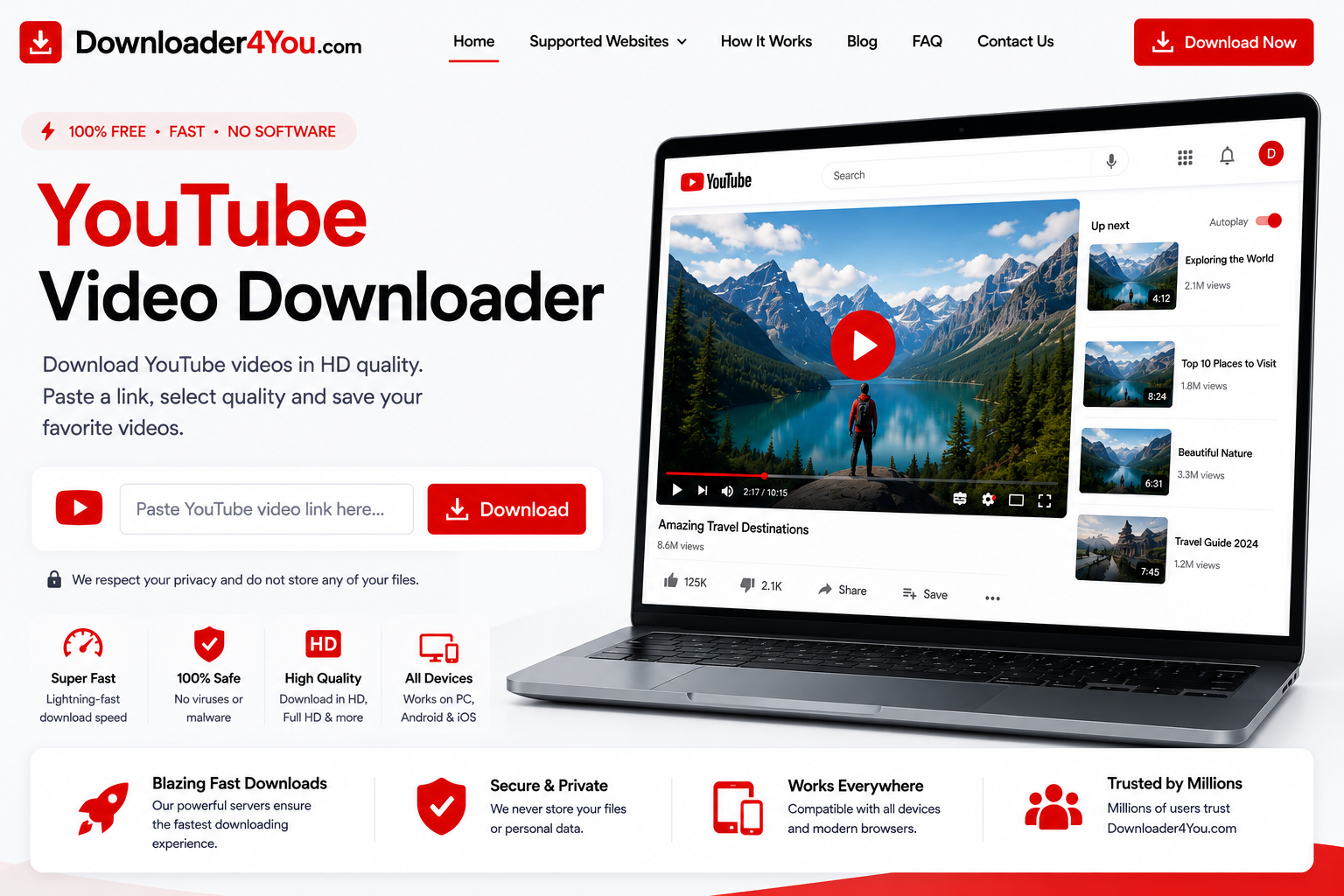
A YouTube Video Downloader can make it easier to save supported online videos when you have permission or another legal right to download them. Downloader4You provides a browser-based interface where you can enter a supported YouTube URL and check the available download options.
There is no complicated setup. You can copy a video address from YouTube, paste it into Downloader4You and start processing the link.
The service is designed for different devices, including desktop computers, laptops, Android phones, iPhones and tablets.
Whether you are looking for a YouTube Downloader Online, a YouTube Video Downloader MP4, a YouTube Downloader 1080p, or a simple way to process a YouTube video URL, Downloader4You provides a straightforward workflow.
Important: Download only content that you own, have permission to download, or are otherwise legally authorized to save. Downloader4You does not transfer copyright ownership or give users permission to redistribute third-party content.
YouTube Video Downloader
Download YouTube Videos Online
Downloading an authorized video can be useful for creators, businesses, educators and users who want to keep a local copy of their own content.
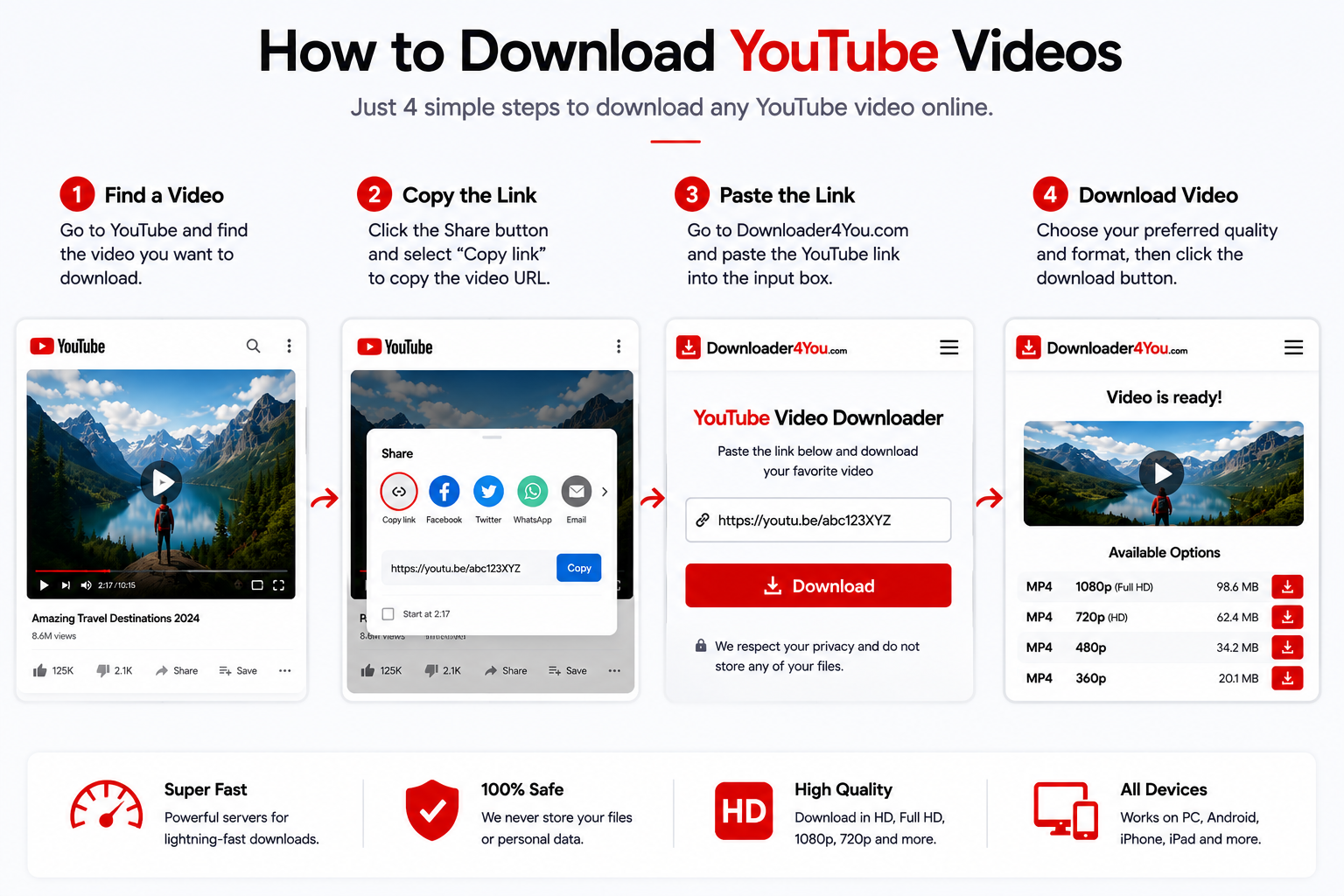
Downloader4You uses a simple URL-based process.
How it works
1. Copy the YouTube URL
Find the supported video and copy its link.
2. Open Downloader4You
Go to the YouTube Video Downloader page.
3. Paste the URL
Place the copied address into the downloader.
4. Process the video
Start the processing request.
5. Select an available option
Choose from the formats or resolutions presented.
6. Save the file
Download the available file to your device.
The result can vary depending on the source, availability, format and current technical compatibility.
A YouTube Downloader Online can be convenient because it does not require a dedicated desktop application for the basic URL-processing workflow.
Downloader4You is accessible through a compatible web browser, making it possible to use the service from different devices.
You can use an online downloader when you want to:
Process a video URL quickly
Save your own published content
Create a local backup
Keep an authorized copy
Work from a computer
Work from a smartphone
Avoid installing additional software
The service does not guarantee that every YouTube URL can be processed.
Some content may be unavailable because of restrictions, privacy settings, deletion, technical changes or other limitations.
YouTube Video Downloader MP4
YouTube Video Downloader MP4 is a popular search term because MP4 is widely supported by modern devices and media players.
When an MP4 option is available, it can be useful for users who want a broadly compatible video file.
MP4 files can be used on many common devices, including:
Windows computers
Mac computers
Android smartphones
iPhones
iPads
Tablets
Smart TVs
Compatible media players
The actual available formats depend on the source and processing system.
Downloader4You does not guarantee that MP4 will be available for every submitted URL.
YouTube Downloader HD
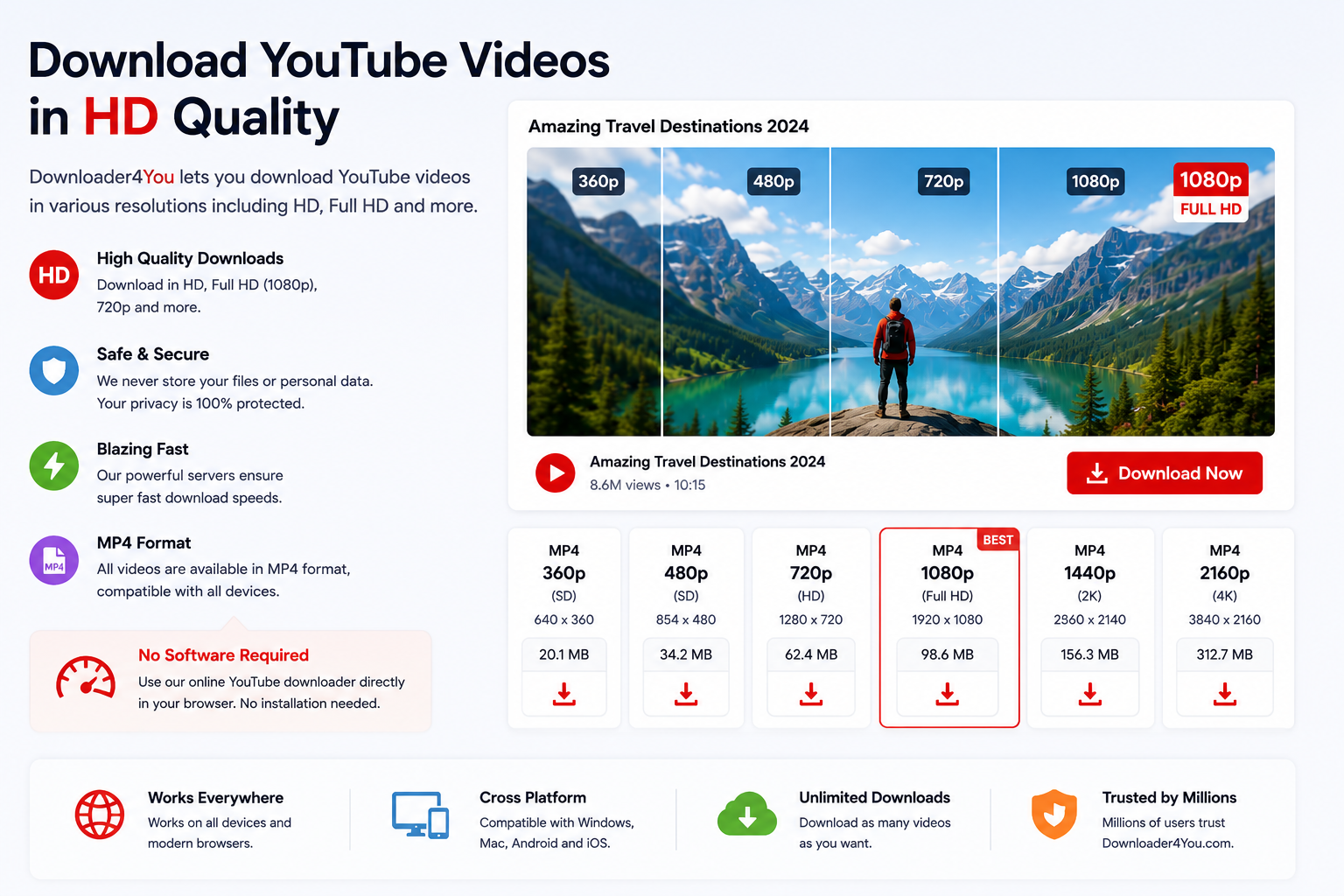
If the original source provides higher-resolution video, available download options may include HD resolutions.
A YouTube Downloader HD can be useful when you want to preserve more visual detail.
Possible resolutions can include:
Resolution
Typical use
360p
Smaller files and basic viewing
480p
Standard-definition viewing
720p
HD viewing
1080p
Full HD viewing
Higher resolutions
Where supported by the source
The original video determines the maximum quality that can be made available.
A downloader cannot create genuine detail that was not present in the original source.
YouTube Downloader 1080p
A YouTube Downloader 1080p is useful when a supported video provides Full HD quality.
1080p corresponds to a resolution of 1920 × 1080 pixels and can provide a clearer viewing experience on larger screens.
However, not every YouTube video is published in 1080p.
If the source only provides 720p or another resolution, that may be the highest available option.
Higher resolution also normally means a larger file, so users with limited storage or slower connections may prefer a smaller available option.
YouTube Downloader 1080p HD
YouTube Video Downloader 720p
720p is another common video resolution.
A YouTube Video Downloader 720p can offer a useful balance between image quality and file size.
It can be suitable for:
Smartphones
Tablets
Laptops
Smaller displays
Offline storage
Devices with limited capacity
If 720p is available for the source, you can choose it when the balance between quality and file size is more important than maximum resolution.
YouTube Downloader for Mobile
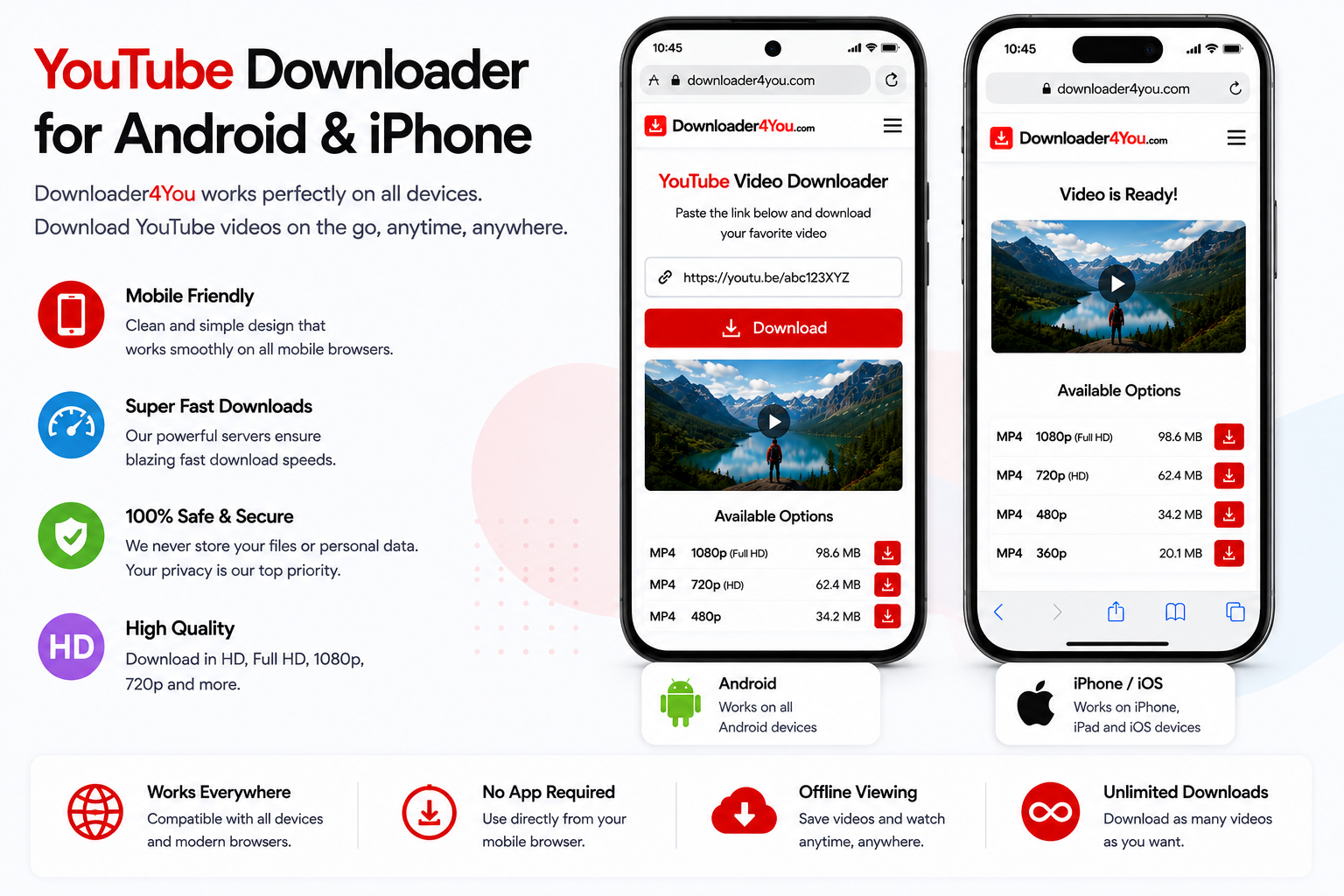
Downloader4You is designed to work through compatible browsers, making it suitable for mobile users.
You can access the service without necessarily installing a separate application.
Android
To process a supported video on Android:
Open YouTube.
Find the video.
Copy its URL.
Open your mobile browser.
Go to Downloader4You.
Paste the URL.
Start processing.
Select an available option.
Save the file.
The exact location of downloaded files depends on your browser and Android version.
iPhone
On iPhone:
Open YouTube.
Locate the video.
Copy the link.
Open your browser.
Visit Downloader4You.
Paste the URL.
Start processing.
Choose an available option.
Save the resulting file.
The file-management process can vary according to your iOS version and browser.
YouTube Downloader Android
An Android YouTube Downloader can be useful for people who primarily consume content on their smartphones.
Because Downloader4You works through a browser, you can access the downloader directly from your device.
This means the workflow does not depend on a specific desktop operating system.
Before downloading a large file, check your available storage and connection.
Higher-resolution videos can require significantly more storage than smaller versions.
YouTube Downloader iPhone
If you are searching for a YouTube Downloader iPhone or YouTube Downloader iOS, Downloader4You can be accessed through a compatible browser.
The process is based on the video URL rather than requiring you to provide your Google or YouTube login information.
Do not provide your YouTube password or account credentials to a third-party downloader.
After processing, the way a file is saved can depend on your iPhone, browser and current iOS version.
YouTube Downloader for Android and iPhone
YouTube Downloader for PC
A YouTube Downloader for PC can be useful when you want to manage downloaded files on a larger screen.
The browser-based workflow is straightforward:
Find → Copy → Paste → Process → Choose → Save
Once the file is saved, you can organize it using your computer’s normal file-management tools.
PC users may also benefit from having more storage available for larger HD files.
YouTube Downloader Windows
Windows users can access Downloader4You through a supported web browser.
You can use the same basic process regardless of whether you are using a desktop computer or laptop.
The downloaded file can then be handled through Windows Explorer and opened with a compatible media player.
The format and resolution available depend on the source video.
YouTube Downloader Mac
Mac users can also use Downloader4You from a compatible browser.
The process does not require specialized technical knowledge.
Simply copy an authorized YouTube URL, paste it into the downloader and check the available options.
After saving the file, you can manage it through Finder or another compatible file-management application.
YouTube Video Downloader by Link
A YouTube Video Downloader by Link is particularly useful when you already have the URL of the exact video you want to process.
Instead of entering a video title or searching through a database, you provide the video’s address.
You can copy YouTube links from:
Video pages
Shared messages
Emails
Websites
Your own channel
Social posts containing YouTube URLs
Always verify that the URL points to the intended content before processing it.
YouTube Shorts Downloader
YouTube Shorts are short-form videos designed primarily for vertical and mobile viewing.
A supported Shorts URL can be submitted to Downloader4You in the same general way as a regular YouTube video.
How to process a YouTube Short
Open the Short on YouTube.
Use the sharing function.
Copy the link.
Open Downloader4You.
Paste the URL.
Start processing.
Review the available options.
Save the authorized copy.
Availability can change depending on the source and YouTube’s technical systems.
YouTube Shorts Downloader Online
A YouTube Shorts Downloader Online can be useful when you already have a specific Shorts URL.
The online approach eliminates the need to manually search for the Short inside another application.
Simply provide the supported URL and review the available result.
Remember that downloading a Short does not automatically give you permission to repost it.
If the Short belongs to another creator, respect the creator’s copyright and applicable usage restrictions.
Download Your Own YouTube Videos
Creators may have several reasons to keep local copies of their own videos.
A local backup can help protect against accidental loss and can make future editing or republishing easier.
You may want to download your own content for:
Backup
Archiving
Editing
Reformatting
Cross-platform publishing
Personal storage
Content management
Business records
For channel management, creators can also use YouTube Studio.
Keeping the original project files is recommended when possible because a copy retrieved from an online platform may not contain the same quality or editing information as the original file.
YouTube Video Downloader for Creators
Content creators frequently publish the same video across several platforms.
A local copy of your own video can make it easier to manage your content library.
For example, a creator might keep:
Original recordings
Edited master files
Published versions
Short-form versions
Thumbnail files
Captions
Promotional clips
A downloaded copy can be part of that archive when you have the necessary rights.
For third-party content, permission should be obtained before downloading for commercial or redistribution purposes.
Save YouTube Videos for Offline Use
When you are legally permitted to save content, an offline copy can be useful.
For example, you may want to maintain an archive of your own work or keep an authorized file for later use.
However, offline storage and redistribution are different things.
Having a copy on your computer does not automatically mean you can upload that file somewhere else.
You should not assume that downloading gives you the right to:
Re-upload the video
Sell the video
Distribute copies
Claim authorship
Remove creator attribution
Use another creator’s work commercially
Always consider the rights attached to the content.
Can Downloader4You Download Private YouTube Videos?
Downloader4You is not intended to bypass privacy or security controls.
The service should not be used to circumvent:
Private video restrictions
Password protection
Authentication
Paywalls
Access controls
Technical security measures
If you do not have legitimate access to a video, do not attempt to bypass the restriction.
Why Is My YouTube Link Not Working?
There are several possible reasons why a URL may not process successfully.
The video was removed
If the original content no longer exists, the URL may not be usable.
The video is private
Private content may not be accessible.
The video has restrictions
Geographic, account or other restrictions can affect availability.
The URL was copied incorrectly
Check that the complete URL was copied.
The content is unsupported
Not every YouTube URL or content type is guaranteed to work.
Technical changes
YouTube can change its website and underlying systems, which may affect third-party compatibility.
Temporary issue
A temporary technical problem may prevent processing.
If the problem continues, contact Downloader4You through the Contact Us page.
Is Downloader4You Affiliated With YouTube?
No.
Downloader4You is an independent third-party service.
It is not operated by YouTube or Google and does not claim to be an official YouTube downloader.
YouTube and related trademarks belong to their respective owners.
For official information about YouTube’s service and policies, visit YouTube Help.
YouTube Copyright and Downloading
Videos published on YouTube can be protected by copyright.
Copyright can belong to the creator, publisher, rights holder or another party.
Before downloading a video, make sure that you have the appropriate authorization.
Examples can include:
Your own content
Content you have explicit permission to download
Content distributed under an applicable license
Content you are otherwise legally permitted to save
If you believe that your copyrighted material has been improperly processed through Downloader4You, use the site’s Copyright & DMCA / Rights Complaint Policy.
Responsible Use of YouTube Downloader
Downloader4You provides a technical URL-processing service.
The user is responsible for deciding which URLs to submit and how downloaded files are used.
Do not use the service for unlawful or unauthorized activity.
Prohibited or inappropriate uses can include:
Copyright infringement
Unauthorized redistribution
Privacy violations
Circumventing access controls
Circumventing security measures
Fraudulent activity
Harassment
Impersonation
Distribution of prohibited content
Other unlawful activity
Users should review the site’s:
Terms of Use
Privacy Policy
Copyright & DMCA / Rights Complaint Policy
18+ / Prohibited Content Policy
Cookie Policy
Disclaimer
Abuse Report
Is Downloader4You Safe to Use?
Users should follow normal online safety practices when using any third-party service.
Downloader4You does not require users to provide their YouTube or Google password simply to submit a supported public URL.
Never enter your Google account password into an online downloader.
You should also keep your browser and operating system updated.
Before opening any downloaded file, check its filename and extension and make sure you understand where your browser saved it.
Does Downloader4You Store Downloaded Videos?
Downloader4You is designed around processing submitted URLs rather than providing users with a permanent personal media-storage account.
The resulting file is handled through the user’s browser and device.
For information about website data practices, cookies and third-party services, review the Privacy Policy and Cookie Policy.
Frequently Asked Questions
What is a YouTube Video Downloader?
A YouTube Video Downloader is an online service that processes supported YouTube URLs and provides available download options.
Is Downloader4You free?
Downloader4You provides its basic online downloader service without requiring a traditional paid subscription.
How do I download a YouTube video?
Copy an authorized YouTube URL, paste it into Downloader4You and check the available options.
Can I download YouTube videos as MP4?
An MP4 option may be available depending on the source and processing options.
Can I download YouTube videos in 1080p?
If 1080p is available from the source and can be processed, it may appear among the available options.
Can I download YouTube videos in 720p?
720p may be available when the original source provides that resolution.
Does Downloader4You work on Android?
Yes. You can access the service through a compatible Android browser.
Does Downloader4You work on iPhone?
Yes. You can access the service through a compatible iPhone browser.
Can I use Downloader4You on Windows?
Yes. A compatible Windows browser can be used to access the downloader.
Can I use Downloader4You on Mac?
Yes. A compatible macOS browser can be used.
Can I download YouTube Shorts?
Supported Shorts URLs may be processed through the downloader.
Can I download my own YouTube videos?
Yes, where the content is supported and you have the necessary rights.
Can I download private YouTube videos?
The service is not intended to bypass private access or authentication restrictions.
Why does my YouTube URL not work?
The source may be unavailable, private, restricted, unsupported or temporarily inaccessible.
Does downloading transfer copyright ownership?
No. Downloading a file does not transfer copyright ownership.
Can I re-upload a downloaded video?
Only if you have the necessary rights or authorization.
Is Downloader4You an official YouTube service?
No. Downloader4You is an independent third-party website.
Other Video Downloaders
Downloader4You supports multiple platforms. Users can visit the dedicated pages for other supported sources.