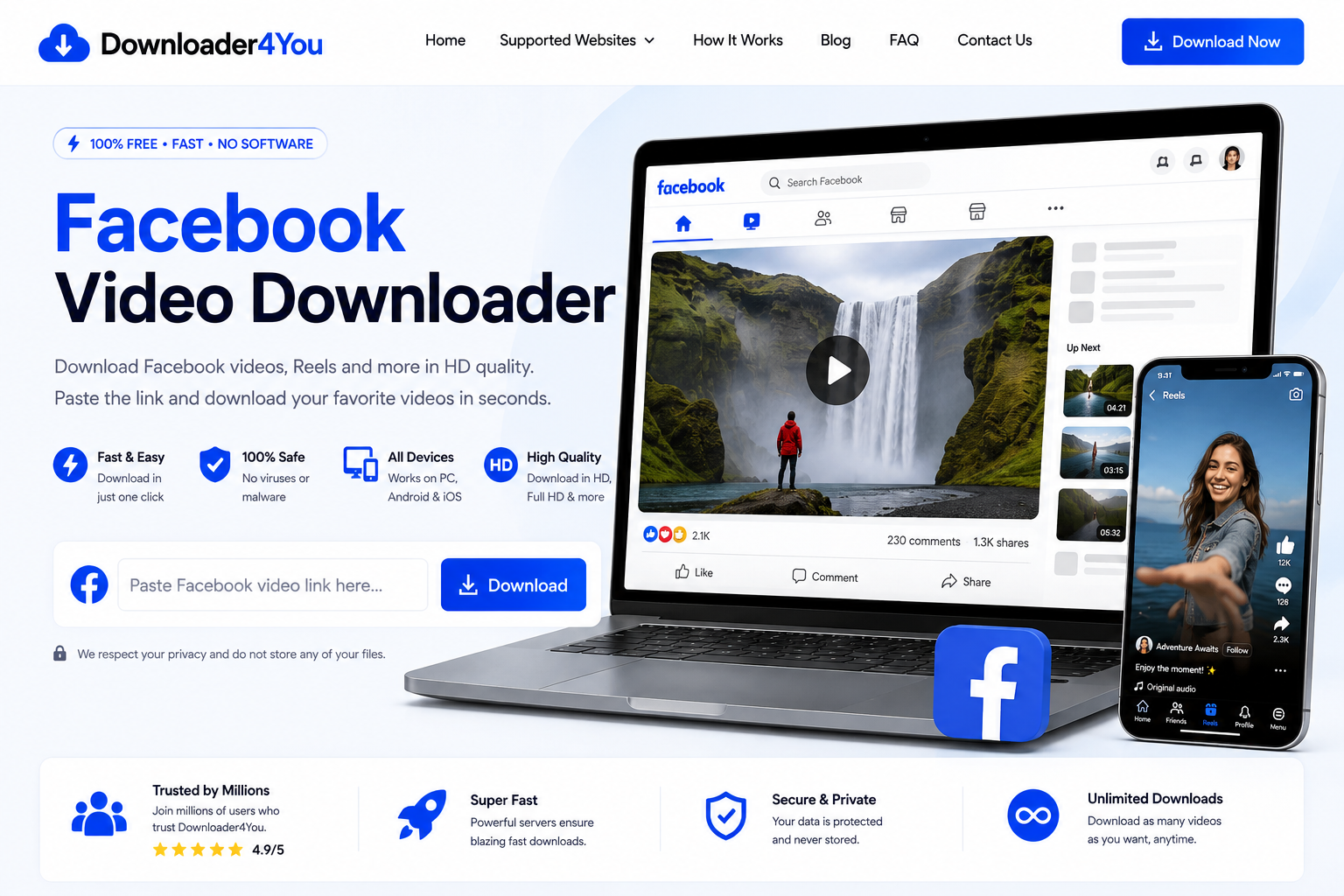
A Facebook Video Downloader gives you a simple way to process supported Facebook video links directly from your browser. With Downloader4You, you can paste a Facebook video URL, process the link and check the available download options.
There is no complicated workflow. You start with the URL of a video you are authorized to download, paste it into Downloader4You and select an available option when processing is complete.
The service is designed for desktop and mobile users, making it convenient whether you browse Facebook on a computer, Android phone, iPhone or tablet.
If you are looking for a Facebook Video Downloader online, a Facebook Reel Downloader, or a simple way to download an authorized Facebook video from its link, Downloader4You provides a straightforward browser-based solution.
Important: You are responsible for the content you download and how you use it. Only download videos when you have the necessary rights, permission or other lawful authorization. Downloader4You does not grant ownership or redistribution rights to downloaded content.
Download Facebook Videos Online
Facebook is one of the largest platforms for sharing video content. Videos can appear in posts, Reels, pages, groups and other parts of the platform.
When you have permission to save a video, an online downloader can make the process easier.
Downloader4You works from a supported Facebook URL rather than requiring you to search through the website from inside the downloader.
The basic process is:
Copy the Facebook link → Paste the link → Process → Choose an available option → Download
The result depends on the source video and its accessibility.
Some videos may offer different quality options. Other videos may not be available for processing at all.
Private, deleted, restricted or inaccessible videos may not work.
For Facebook itself, you can visit Facebook to find the original content and copy its available link.
Free Facebook Video Downloader
If you are searching for a free Facebook video downloader, Downloader4You provides a browser-based option for processing supported Facebook URLs.
The service is designed to keep the process easy to understand.
You do not need advanced video-editing knowledge or technical experience.
How the process works
- Open Facebook.
- Find the video you are authorized to save.
- Copy the video URL.
- Open Downloader4You.
- Paste the URL.
- Click the download button.
- Wait while the URL is processed.
- Choose an available download option.
- Save the resulting file.
The available quality and format depend on the source.
Facebook Video Downloader Online
An online Facebook Video Downloader can be useful when you do not want to install additional software.
Downloader4You is accessed through your web browser, allowing you to use the service from compatible devices.
This can be useful when:
- You are using a shared computer.
- You do not want to install another application.
- You need to process a video occasionally.
- You are using a smartphone.
- You want a simple URL-based workflow.
- You are working from different devices.
The browser-based approach also means that the interface can remain focused on one task: processing a supported video URL.
How to Download Facebook Videos
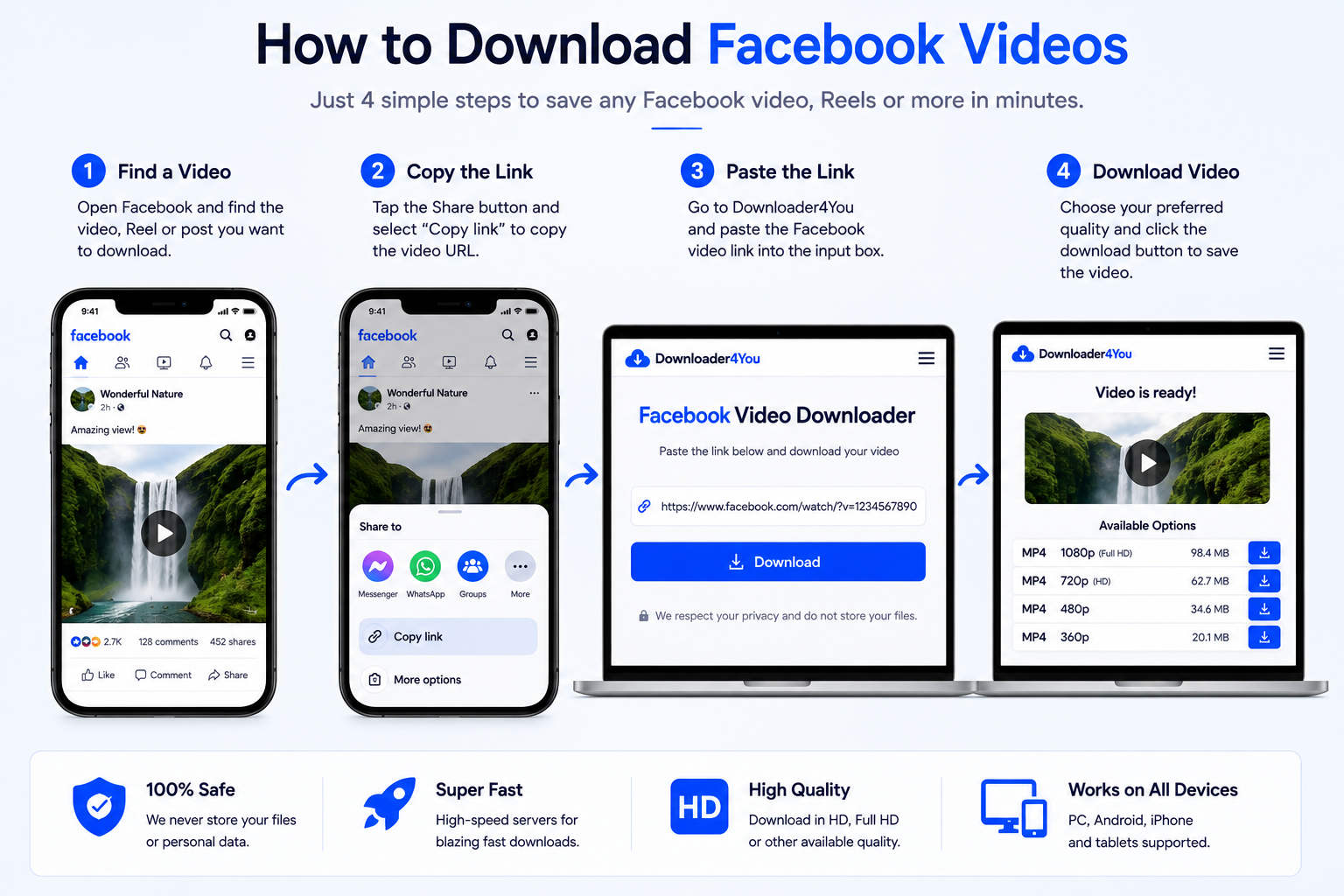
Step 1: Open Facebook
Go to Facebook and locate the video you want to save.
Make sure that you are permitted to download and use the content.
Step 2: Copy the Facebook Video Link
Use Facebook’s sharing functionality to copy the URL.
Depending on the Facebook interface and your device, the option may be displayed as Copy Link.
Step 3: Open Downloader4You
Return to Downloader4You and open the Facebook Video Downloader.
Step 4: Paste the URL
Paste the copied Facebook link into the input field.
Step 5: Start the Download
Select the download button and allow the service to process the URL.
Step 6: Choose an Available Quality
If processing is successful, available video options may be displayed.
Step 7: Save the File
Select the option you want and save the resulting file using your browser.
Facebook Reel Downloader
Facebook Reels have become an important part of Facebook’s short-form video content.
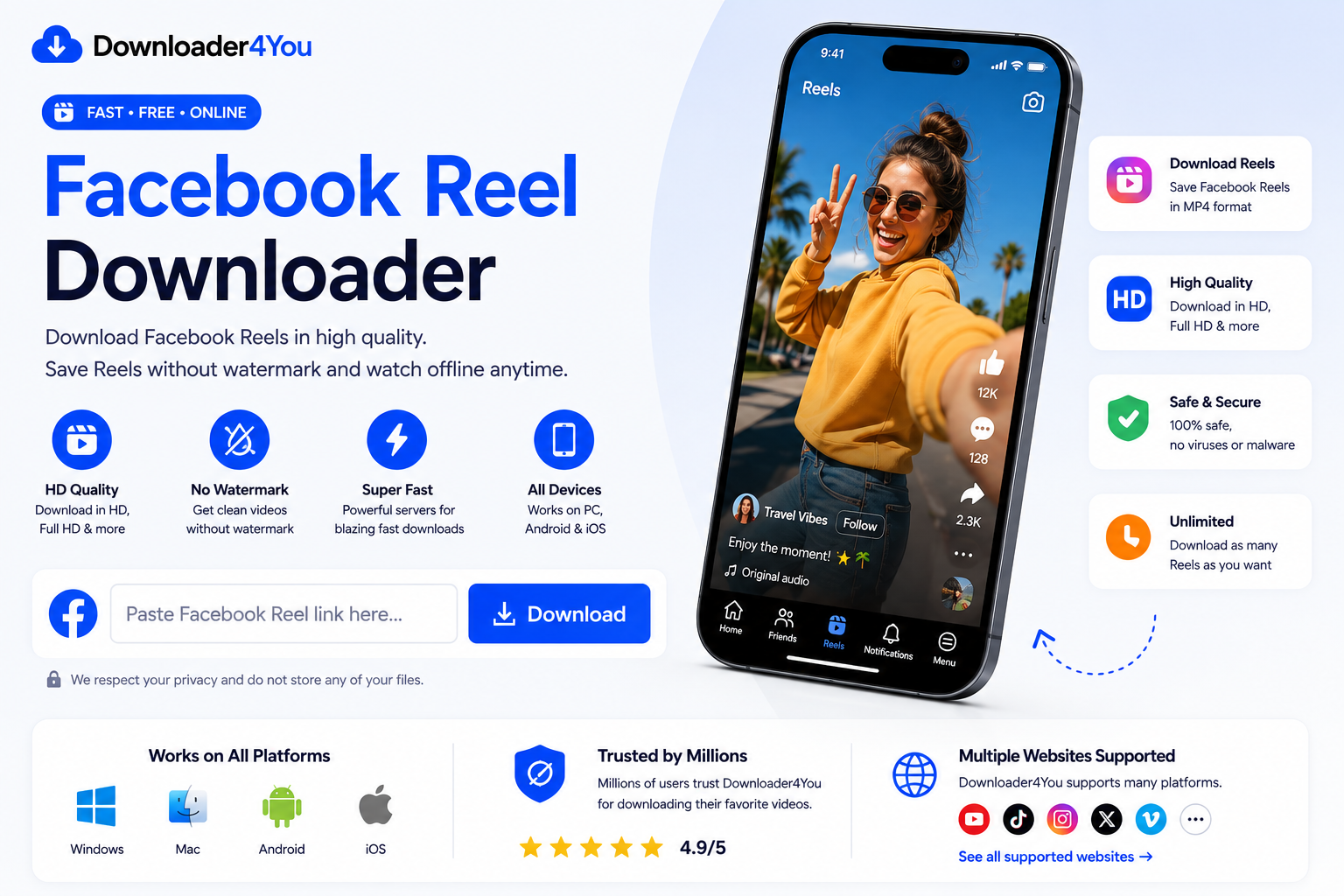
If you are looking for a Facebook Reel Downloader, Downloader4You can process supported Reel URLs.
The procedure is similar to downloading another supported Facebook video.
Download a Facebook Reel
- Open the Reel on Facebook.
- Select the sharing option.
- Copy the Reel URL.
- Open Downloader4You.
- Paste the link.
- Start processing.
- Check the available options.
- Download the permitted copy.
Not every Facebook Reel will necessarily be available.
The Reel may be private, restricted, deleted or otherwise inaccessible.
Download Facebook Reels Online
A Facebook Reel Downloader online can be convenient when you already have a specific Reel URL.
Instead of searching for a third-party application, you can use a browser-based service to process the link.
This is particularly useful for users who want to work from their phone.
You can copy the URL from Facebook and paste it directly into Downloader4You.
The available video quality depends on the source.
Downloader4You does not guarantee that every Facebook Reel will be available or that every Reel will provide the same quality options.
Facebook Video Downloader by Link
Many people searching for a Facebook video downloader link already have a particular Facebook video they want to process.
The link is all you need to begin.
You can copy a URL from:
- Facebook posts
- Facebook pages
- Facebook Reels
- Facebook groups
- Shared Facebook content
- Your own Facebook profile
- Messenger conversations containing Facebook links
The original video must remain accessible and compatible.
If a URL does not work, check that the complete link was copied correctly.
Facebook Video Downloader HD
If the original source provides high-resolution video, Downloader4You may display available higher-quality options.
A Facebook Video Downloader HD can be useful when preserving video detail is important.
Depending on the source, available resolutions may include:
- 360p
- 480p
- 720p
- 1080p
- Other available resolutions
Not every Facebook video contains every resolution.
Why choose HD?
Higher resolution can provide a clearer image, especially when watching the video on a larger display.
However, higher-quality files are normally larger.
If storage space or download time is important, a lower available resolution may be more suitable.
Facebook Video Downloader Without Watermark
Facebook Video Downloader without watermark is another common search intent.
It is important to understand that a downloader cannot give you ownership of a creator’s video.
Downloader4You does not authorize users to remove copyright notices, creator branding or ownership information.
If the original source provides a downloadable version without a watermark, the resulting file may reflect that source.
You must not use downloaded content to falsely claim that someone else’s work belongs to you.
If you are downloading your own Facebook content, you can use the copy for your own authorized purposes.
Facebook Video Downloader MP4
MP4 is a widely supported video format and can work across many devices and media players.
Where an MP4 option is available, it can be convenient for users who want a broadly compatible video file.
MP4 files can commonly be used on:
- Windows
- macOS
- Android
- iPhone
- iPad
- Tablets
- Smart TVs
- Media players
- Video-editing applications
The available format depends on the source and the processing options available.
Facebook Downloader for Mobile
Downloader4You is designed to be accessible from compatible mobile browsers.
This means you can use the service without depending on a dedicated downloader application.
Android
On Android:
- Open Facebook.
- Copy the video URL.
- Open your mobile browser.
- Visit Downloader4You.
- Paste the URL.
- Process the video.
- Select an available option.
- Save the file.
iPhone
On iPhone:
- Open Facebook.
- Find an authorized video.
- Copy its link.
- Open your browser.
- Paste the URL into Downloader4You.
- Start processing.
- Save the available file.
The exact file-saving process can vary according to your browser and operating-system version.
Facebook Video Downloader for PC
A desktop computer can be useful when working with larger video files.
You can open Downloader4You through a compatible browser and submit a Facebook video URL.
The process remains simple:
Copy → Paste → Process → Select → Save
Desktop users may also find it easier to organize downloaded files using their normal file-management system.
Download Facebook Videos on Android
Android users can access the service directly through a browser.
You do not necessarily need to install a separate application to submit a supported URL.
The typical workflow is:
Facebook → Copy Link → Downloader4You → Paste → Download
Once the download has completed, the browser normally provides access to the saved file through its download area or the device’s file manager.
Download Facebook Videos on iPhone
iPhone users can also access Downloader4You through a compatible browser.
After copying a supported Facebook video URL, paste it into the downloader.
The resulting file-management options depend on the browser and iOS version.
For the best experience, make sure your device has sufficient free storage before downloading large video files.
Download Your Own Facebook Videos
One of the most straightforward uses of a Facebook Video Downloader is saving your own content.
You may want to download your own Facebook videos for:
- Backup
- Archiving
- Re-editing
- Repurposing
- Publishing on another authorized platform
- Personal storage
- Maintaining a local media library
If you regularly create video content, keeping the original video files separately is recommended.
A copy downloaded from Facebook may have different quality or technical characteristics from your original recording.
Save Facebook Videos for Offline Use
If you have the right to save a video, keeping an offline copy can be useful when internet access is limited.
For example, you may want to keep your own videos available while traveling or maintain an archive of content that you are authorized to store.
However, downloading a video for offline use does not automatically give you permission to redistribute it.
The rights attached to the original content still matter.
Always distinguish between saving a file and having the legal right to publish or distribute that file.
Facebook Video Downloader for Creators
Creators often need to manage their own content across multiple platforms.
A Facebook video may have originally been published on another platform, edited locally and then uploaded to Facebook.
If the original project file is no longer available, an authorized Facebook copy may provide a useful backup.
Creators can use downloaded copies for legitimate purposes such as:
- Content archiving
- Reviewing previous posts
- Creating backups
- Repurposing their own videos
- Maintaining a media library
When working with someone else’s content, permission should be obtained before reuse.
Can You Download Private Facebook Videos?
Downloader4You is not designed to bypass Facebook privacy controls.
The service should not be used to circumvent:
- Private profiles
- Password protection
- Authentication
- Login restrictions
- Paywalls
- Technical access controls
- Other security mechanisms
If you cannot legitimately access a video, you should not attempt to bypass that restriction using a downloader.
Private content should remain private unless the owner provides appropriate access or permission.
Why Is My Facebook Video Not Working?
A Facebook URL may fail for several reasons.
The video is private
Private content may not be accessible to the downloader.
The video was deleted
A deleted video may no longer be available from the original source.
The URL is incorrect
Make sure you copied the complete Facebook URL.
The video is restricted
Geographical or account-based restrictions can prevent access.
Facebook changed its system
Facebook can modify its website and technical infrastructure, which can affect third-party compatibility.
Temporary technical issue
A temporary problem may prevent successful processing.
If you encounter a persistent technical problem, contact Downloader4You through the Contact Us page.
Is Downloader4You Affiliated With Facebook?
No.
Downloader4You is an independent third-party service.
It is not Facebook, Meta Platforms, Inc., or an official Facebook downloading service.
The Facebook name and related trademarks belong to their respective owners.
Downloader4You does not claim ownership of Facebook’s trademarks, logos or platform content.
For the original Facebook platform, visit Facebook.com.
Copyright and Facebook Videos
Facebook videos can contain copyrighted material.
Copyright ownership generally belongs to the creator, copyright holder or another rights owner rather than to the downloader.
Before downloading or reusing a video, consider whether you have the necessary authorization.
Examples of potentially authorized content include:
- Your own videos
- Content for which you received permission
- Content distributed under a license permitting the intended use
- Content you otherwise have a legal right to download and use
Downloading a video does not transfer copyright ownership.
If you believe content processed through Downloader4You infringes your rights, use our Copyright & DMCA / Rights Complaint Policy and Abuse Report page.
Responsible Use of Downloader4You
Downloader4You provides a technical tool for processing supported URLs.
The user decides what URL to submit and what to do with any resulting file.
Therefore, users are responsible for their own use of the service.
You should not use Downloader4You to:
- Infringe copyright
- Distribute unauthorized copies
- Violate privacy
- Circumvent security controls
- Bypass access restrictions
- Impersonate another person
- Harass another person
- Distribute prohibited content
- Violate applicable laws
For more information, read our Terms of Use, 18+ / Prohibited Content Policy, Disclaimer, and Copyright & DMCA / Rights Complaint Policy.
Is Facebook Video Downloader Safe?
Downloader4You is designed as a browser-based service.
Users should still follow normal online safety practices.
Do not enter passwords, Facebook login credentials or other sensitive account information into a third-party downloader.
The downloader should be used by submitting the supported video URL rather than by providing your Facebook account credentials.
Also make sure you understand where your browser saves downloaded files.
Avoid opening files that you do not recognize or that appear suspicious.
Does Downloader4You Store My Facebook Videos?
The service is designed around processing submitted URLs rather than providing users with a permanent personal video-storage account.
Downloaded files are saved through your own browser/device download process.
For information about website data practices, cookies and analytics, see the Privacy Policy and Cookie Policy.
Frequently Asked Questions
What is a Facebook Video Downloader?
A Facebook Video Downloader is an online service that processes supported Facebook video URLs and provides available download options.
Is Downloader4You free?
Downloader4You provides its basic online downloading service without requiring a traditional paid subscription.
How do I download a Facebook video?
Copy the URL of an authorized and supported Facebook video, paste it into Downloader4You and start the download process.
Can I download Facebook Reels?
Supported Facebook Reel URLs can be submitted through Downloader4You.
Can I download Facebook videos on my phone?
Yes. You can access Downloader4You through a compatible mobile browser.
Does it work on Android?
Yes, supported Facebook URLs can be processed through a compatible Android browser.
Does it work on iPhone?
Yes, you can use a compatible iPhone browser to access Downloader4You.
Can I download Facebook videos on PC?
Yes. Downloader4You can be accessed through compatible desktop browsers.
Can I download Facebook videos in HD?
Higher-quality options may be available when the original Facebook source provides them.
Can I download Facebook videos as MP4?
An MP4 option may be available depending on the source and processing options.
Can I download Facebook videos without a watermark?
The availability of a watermark-free version depends on the source. Downloader4You does not authorize removal of copyright or creator branding.
Can I download my own Facebook videos?
Yes, where the video is supported and accessible.
Can I download private Facebook videos?
Downloader4You is not intended to bypass private access or authentication restrictions.
Why does my Facebook link not work?
The video may be private, deleted, restricted, unsupported or temporarily unavailable.
Does Downloader4You own downloaded videos?
No. Downloader4You does not claim ownership of third-party videos.
Who is responsible for downloaded content?
The user is responsible for determining whether downloading and using the content is authorized and lawful.
Explore Other Downloaders
Downloader4You supports multiple online video sources.
You can explore our dedicated pages for other supported platforms:
- YouTube Video Downloader —
/youtube-video-downloader/ - TikTok Video Downloader —
/tiktok-video-downloader/ - Instagram Video Downloader —
/instagram-video-downloader/ - X Video Downloader —
/x-video-downloader/ - Reddit Video Downloader —
/reddit-video-downloader/ - Pinterest Video Downloader —
/pinterest-video-downloader/ - Supported Websites —
/supported-websites/
These internal links should be included naturally rather than repeated throughout the page.
Important Legal Information
Downloader4You is an independent online service.
We do not control the content hosted on Facebook and cannot determine whether individual users have the necessary rights to download or reuse a particular video.
The user is responsible for the URLs they submit and the content they download.
Do not download or redistribute material that you do not have permission to use.
For additional information, see:
- Privacy Policy
- Terms of Use
- Copyright & DMCA / Rights Complaint Policy
- 18+ / Prohibited Content Policy
- Cookie Policy
- Disclaimer
- Abuse Report
- Contact Us
Start With Your Facebook Video URL
If you have an accessible Facebook video that you are authorized to download, Downloader4You provides a simple way to process the link.
Copy the Facebook URL, paste it into the downloader and check the available options.
Whether you are using a desktop computer, Android phone, iPhone or tablet, the same basic URL-based process makes the service easy to use.
Paste your Facebook video URL and start processing your supported video.