Pinterest Downloader
Pinterest Downloader is an easy-to-use online tool for processing supported Pinterest video and image links directly from your browser. Copy a Pinterest URL, paste it into Downloader4You, and check the available options for saving the content to your device.
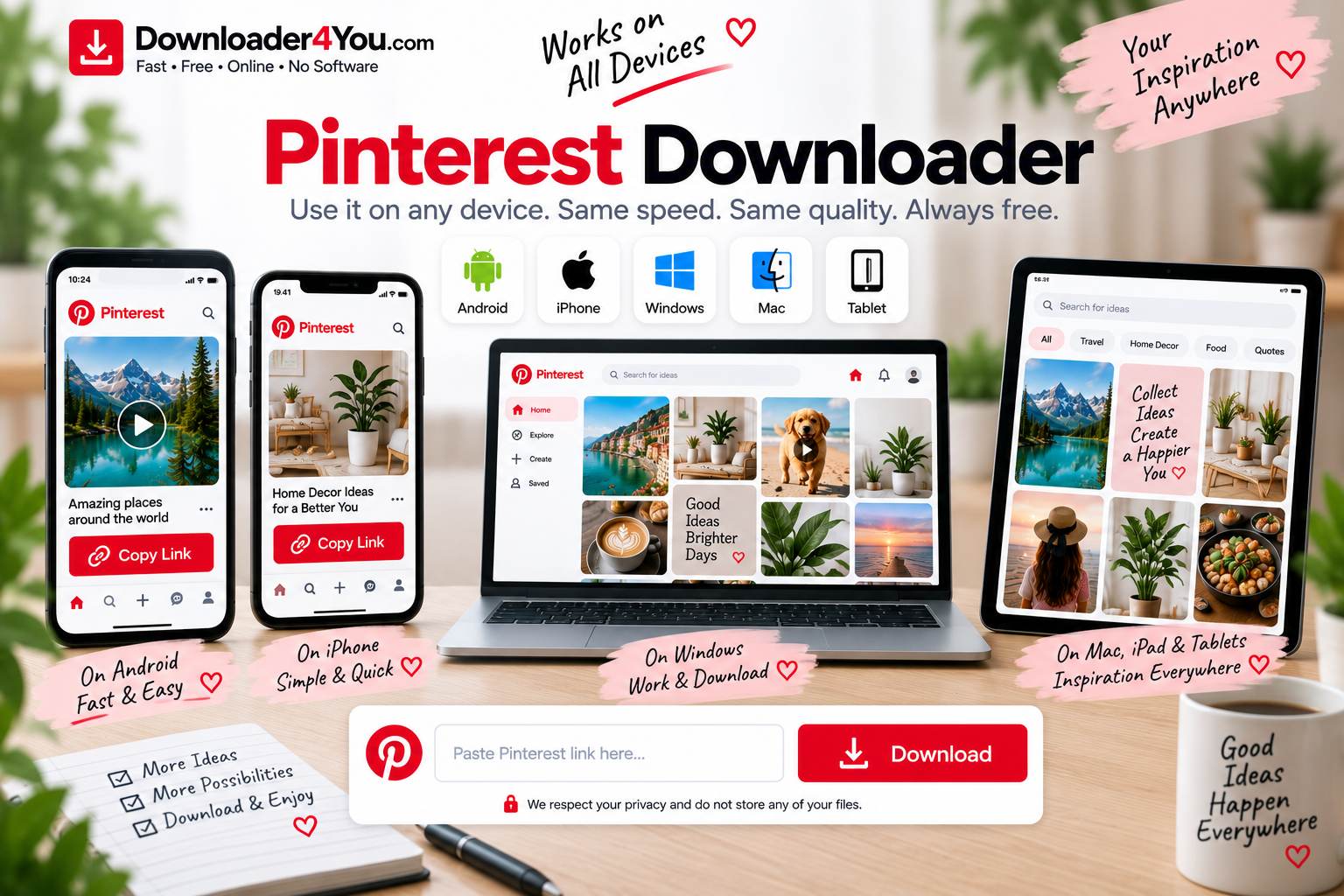
You can use Downloader4You from a computer, smartphone or tablet without installing dedicated downloader software.
If you are searching for a Pinterest Video Downloader, Pinterest Image Downloader, Pinterest Downloader Online, or a simple way to download videos online, this page provides information about the available options and how the process works.
Pinterest is a popular source of inspiration for recipes, travel, fashion, home decoration, photography, crafts, tutorials and many other types of visual content. When you have the appropriate rights to save content, a URL-based downloader can make the process convenient.
Important: Only download content that you own, have permission to download, or are otherwise legally authorized to save. Downloading a file does not transfer copyright ownership or give you permission to redistribute somebody else’s content.

Pinterest Video Downloader
The Pinterest Video Downloader is designed for users who want to process an accessible Pinterest video URL.
Pinterest videos can contain tutorials, recipes, demonstrations, travel ideas, product information, creative projects and other short-form content.
If you have a Pinterest video that you are authorized to save, the process is straightforward:
Copy the Pinterest link → Paste it → Process the URL → Select an available option → Save
The actual format and quality available depend on the original content and technical compatibility.
A third-party downloader cannot guarantee that every Pinterest video will be available for download.
Download Pinterest Videos Online
If you want to download videos online, you can start with the URL of the video you want to process.
How to download a Pinterest video
1. Open Pinterest
Find the Pin containing the video you are authorized to save.
2. Copy the link
Use Pinterest’s sharing options to copy the URL.
3. Open Downloader4You
Go to the Pinterest Downloader page.
4. Paste the URL
Insert the Pinterest link into the downloader field.
5. Start processing
Submit the URL.
6. Check the available options
If the content is supported, available formats or quality options may appear.
7. Save the file
Choose the appropriate option and save the resulting file.
The exact steps can vary slightly depending on the browser and device you are using.

Pinterest Downloader Online
A Pinterest Downloader Online provides a browser-based way to process supported Pinterest URLs.
This can be useful because you do not necessarily need a dedicated application just to process a video or image link.
Downloader4You is designed to work across common devices, including:
- Windows computers
- Mac computers
- Android phones
- iPhones
- iPads
- Tablets
- Laptops
The basic process remains the same regardless of the device:
Find the content → Copy the URL → Paste the URL → Process → Save
Online Video Downloader for Pinterest
An online video downloader is useful when you already have the URL of a video and want to process it through your browser.
Instead of installing desktop software, you can use a web-based service.
Downloader4You provides dedicated pages for different platforms so visitors can select the service that matches the URL they want to process.
For example, you can explore:
- TikTok Video Downloader
- YouTube Video Downloader
- Facebook Video Downloader
- Instagram Video Downloader
- Pinterest Downloader
- Reddit Video Downloader
Use the appropriate page for the platform hosting the content.
Download Video Online
The phrase download video online covers a broad range of searches from users looking for browser-based video downloading solutions.
For Pinterest, the process begins with a Pinterest URL.
When a supported URL can be processed, Downloader4You may provide available options based on the original source.
However, the service cannot create a video that is no longer accessible.
If a Pin has been deleted, restricted, made private or otherwise become unavailable, processing may not be possible.
Free Pinterest Downloader
If you are looking for a Free Pinterest Downloader, Downloader4You provides browser-based access to its supported downloading functionality.
A free online tool can be convenient for occasional downloads because there is no need to install a specialized application for the basic workflow.
However, users should always consider the rights associated with the content.
Free access to a downloader does not mean that every Pinterest video or image is free to copy, redistribute or use commercially.
Online Video Downloader Free
Searches for online video downloader free are common among people looking for a simple browser-based solution.
Downloader4You is designed to keep the basic process straightforward.
You do not need advanced technical knowledge to understand the URL workflow:
Copy → Paste → Process → Download
Before downloading, make sure the content is appropriate for your intended use and that you have the necessary permission.
Download Videos Online Free
If you search for download videos online free, you may be interested in processing video URLs without purchasing desktop software.
Downloader4You supports a browser-based workflow for supported sources.
The availability of a particular download depends on the source URL.
For example, a video may not be available if:
- The Pin was deleted.
- The content is private.
- The source is restricted.
- The URL is invalid.
- The content format is unsupported.
- The source has changed its technical systems.
Pinterest Image Downloader
Pinterest is one of the largest destinations for visual inspiration, so video is only part of the picture.
A Pinterest Image Downloader can be useful for processing supported Pinterest image URLs.
Pinterest contains many different types of images, including:
- Photography
- Recipes
- Illustrations
- Infographics
- Wallpapers
- Fashion images
- Interior design
- Travel photography
- DIY projects
- Product inspiration
- Art and design references
If you want to save an image created by somebody else, make sure you have the appropriate rights.
For your own images, keeping the original file is generally preferable whenever possible.
Download Images From Pinterest
Downloading an authorized Pinterest image can be simple.
Step-by-step
- Open Pinterest.
- Find the Pin.
- Open the relevant content.
- Copy the Pin URL.
- Open Downloader4You.
- Paste the link.
- Process the URL.
- Select an available image option.
- Save the file.
The available resolution depends on the source.
For professional projects, always try to obtain the original image directly from the creator or rights holder rather than relying on a compressed copy from a social platform.
Pinterest Photo Downloader
A Pinterest Photo Downloader is another search term used by people looking for an image-saving tool.
Pinterest contains millions of photographs covering subjects such as:
- Nature
- Travel
- Food
- Architecture
- Fashion
- Animals
- Photography
- Weddings
- Cars
- Home design
If you are downloading photographs for personal reference, make sure you understand the applicable rights before using them publicly.
Do not assume that an image is copyright-free simply because it is publicly visible on Pinterest.

Pinterest Pic Downloader
A Pinterest Pic Downloader can be used as another description for a Pinterest image downloading service.
If a supported Pinterest URL contains an accessible image, Downloader4You can process the URL and show the available result.
Image quality can vary depending on the original source.
For high-quality commercial or editorial use, obtain the image from the copyright owner whenever possible.
Pinterest Downloader HD
Users searching for Pinterest Downloader HD are usually interested in maintaining better image or video quality.
The quality of a downloaded file depends on the quality provided by the original source.
If the source contains an HD version, an appropriate option may be available.
If the original file is low resolution, a downloader cannot recreate the missing visual detail.
Pinterest Video Downloader 4K
Some Pinterest content may be available in higher resolutions, which is why users search for Pinterest Video Downloader 4K.
However, 4K availability depends entirely on the source.
A downloader should not be expected to transform a standard-resolution video into genuine 4K content.
If multiple quality options are available, choose the highest genuine resolution that matches your needs.
Remember that higher-quality files generally require:
- More storage
- More bandwidth
- More processing time
- More device space
Pinterest Video Downloader MP4
Pinterest Video Downloader MP4 is another useful keyword for this landing page because MP4 is a widely supported video format.
When an MP4 option is available for a supported source, it can be convenient for users who want a broadly compatible video file.
MP4 files can be used on many modern:
- Smartphones
- Tablets
- Windows computers
- Macs
- Smart TVs
- Media players
- Video-editing applications
The availability of MP4 depends on the source and processing system.

Pinterest Video Downloader Without Watermark
Many users search for Pinterest Video Downloader Without Watermark when looking for a clean version of a video.
The availability of a watermark-free result depends on the source and how the original content is provided.
It is important to distinguish between removing a platform mark from your own content and removing attribution from someone else’s work.
If the video belongs to another creator, you should not remove copyright information or attribution and then claim the content as your own.
Pinterest Downloader Without Watermark
The same principle applies to searches for Pinterest Downloader Without Watermark.
If you own the content, your original source file is normally the best option for obtaining a clean copy.
If someone else created the video or image, downloading a version without visible attribution does not remove the creator’s rights.
Always respect copyright and licensing requirements.
Pinterest Downloader by Link
A Pinterest Downloader by Link is particularly useful when you already have the exact Pin URL.
You might receive a Pinterest link through:
- Messenger
- A website
- A text message
- Another social network
Instead of searching for the Pin manually, you can copy the URL and submit it directly.
Pinterest Video Downloader Link
The Pinterest Video Downloader Link process is simple.
Copy the link
Use Pinterest’s sharing function.
Paste the link
Place it in Downloader4You.
Process
Start the URL-processing request.
Select
Choose an available result.
Save
Save the authorized content to your device.
If the link does not work, check whether the Pin is still publicly accessible.
Pinterest Downloader for Android
Android users can access Downloader4You through a compatible mobile browser.
Android workflow
Open Pinterest → Copy Pin Link → Open Downloader4You → Paste → Process → Save
You can use the service from a smartphone without needing a desktop computer.
The location of downloaded files depends on the Android device and browser.
Pinterest Downloader iPhone
An iPhone can also be used to access Downloader4You.
To process a supported Pinterest URL:
- Open the Pinterest app.
- Find the content.
- Copy its link.
- Open your browser.
- Visit Downloader4You.
- Paste the URL.
- Process the link.
- Save the available result.
Browser behavior can vary according to the iOS version and browser being used.
Pinterest Downloader for PC
A Pinterest Downloader for PC can be convenient for users who manage many files on a desktop computer.
After saving authorized content, you can organize your files into folders for:
- Videos
- Images
- Projects
- Inspiration
- Recipes
- Travel
- Design
- Personal archives
Windows users can manage downloaded files through File Explorer.
Pinterest Downloader Mac
Mac users can access the downloader through a compatible browser.
The process is similar to other devices:
Copy Pinterest URL → Paste → Process → Save
Once downloaded, files can be organized using Finder.
Pinterest Downloader MacBook
If you are specifically searching for a Pinterest Downloader MacBook, you can use Downloader4You through a compatible browser.
There is no need to install specialized downloader software for the basic browser workflow.
For large high-quality files, make sure that sufficient storage space is available on your MacBook.
Pinterest GIF Downloader
Pinterest also contains animated content, making Pinterest GIF Downloader another useful search term.
If an accessible Pin contains a supported animated image or GIF, the available result depends on the original source.
Always check the rights associated with the GIF before publishing or redistributing it.
Pinterest Download All Images
Some users search for Pinterest Download All Images because they want to save multiple images from a board or collection.
Downloading multiple files should be done responsibly.
A Pinterest board can contain content created by many different people.
Before downloading or reusing a collection of images, consider:
- Copyright
- Licensing
- Creator permission
- Commercial-use restrictions
- Privacy
- Platform rules
A public board does not automatically mean that every image can be freely reused.
How to Download Pinterest Videos on Mobile
Using Pinterest on a mobile device is increasingly common.
The process can be completed from your smartphone browser.
Step 1: Find the Pin
Open Pinterest and locate the video.
Step 2: Copy the URL
Use the share menu.
Step 3: Open Downloader4You
Use your mobile browser.
Step 4: Paste
Insert the copied URL.
Step 5: Process
Submit the link.
Step 6: Save
Choose an available result.
This approach works similarly across supported Android and iOS browsers.
Why Is My Pinterest Link Not Working?
Sometimes a Pinterest URL cannot be processed.
There are several possible reasons.
Deleted Pin
If the Pin has been removed, it may no longer be accessible.
Private content
Private content may not be available to third-party services.
Invalid URL
The URL may not have been copied correctly.
Unsupported content
Not every type of Pinterest content is guaranteed to be supported.
Technical changes
Pinterest can change its website or technical infrastructure, which may temporarily affect third-party compatibility.
Temporary issue
There may occasionally be a temporary technical problem.
If you continue experiencing an issue, contact the Downloader4You team through the Contact Us page.
Can I Download Private Pinterest Videos?
Downloader4You is not intended to bypass privacy settings or security controls.
You should never attempt to circumvent:
- Private accounts
- Private Pins
- Login requirements
- Authentication
- Access controls
- Security measures
If content is not legitimately accessible to you, do not attempt to bypass those restrictions.
Is Pinterest Downloader Safe?
Users should apply normal online safety practices when using any third-party downloading service.
Never provide your Pinterest password to an online downloader.
You should also:
- Keep your browser updated.
- Keep your operating system updated.
- Check downloaded file extensions.
- Avoid suspicious files.
- Maintain sufficient storage.
- Use reputable security software.
- Only download content you are authorized to save.
Downloader4You does not guarantee the safety of every external website or every file originating from third-party sources.
Is Downloader4You an Official Pinterest Downloader?
No.
Downloader4You is an independent third-party website and is not operated by Pinterest.
Pinterest and its related trademarks belong to their respective owners.
For the official Pinterest website, visit Pinterest.
Pinterest Copyright and Responsible Use
Pinterest contains content created by individuals, businesses, photographers, artists, publishers and other rights holders.
Many videos and images can be protected by copyright.
Before downloading or using content, determine whether you have the necessary authorization.
Examples of content that you may be authorized to download include:
- Your own videos
- Your own photographs
- Content you have received permission to use
- Content distributed under an appropriate license
- Content that you are otherwise legally entitled to save
Downloading a file does not transfer ownership.
You should not use Downloader4You to:
- Re-upload another creator’s content without permission
- Claim another person’s work as your own
- Sell copyrighted content without authorization
- Circumvent access restrictions
- Violate someone’s privacy
- Engage in unlawful activity
For copyright complaints, please use our Copyright & DMCA / Rights Complaint Policy.
For general service rules, see our Terms of Use.
Online Video Download and Responsible Use
The terms online video download, online video downloader, download videos online, download video online, and video downloader online describe a broad category of browser-based tools.
Regardless of which search term brought you to Downloader4You, the same basic principle applies: users are responsible for the content they submit and how they use downloaded files.
Downloader4You is intended for legitimate and authorized use.
Always consider the copyright, privacy and licensing status of the content before downloading or sharing it.
More Video Downloader Tools
Downloader4You provides separate pages for different platforms.
You can explore:
YouTube Video Downloader
/youtube-video-downloader/
TikTok Video Downloader
/tiktok-video-downloader/
Facebook Video Downloader
/facebook-video-downloader/
Instagram Video Downloader
/instagram-video-downloader/
X Video Downloader
/x-video-downloader/
Reddit Video Downloader
/reddit-video-downloader/
Supported Websites
/supported-websites/
These should be implemented as internal links, not plain text, when the pages are live.
Frequently Asked Questions
What is Pinterest Downloader?
Pinterest Downloader is an online service for processing supported Pinterest URLs and checking available options for saving accessible videos and images.
How do I download a Pinterest video?
Copy the Pinterest video URL, paste it into Downloader4You and check the available download options.
Can I download Pinterest images?
Supported Pinterest image URLs may be processed when the content is accessible.
Is Pinterest Downloader free?
Downloader4You provides online access to its supported downloader functionality without requiring traditional desktop downloader software.
Can I download Pinterest videos in MP4?
An MP4 option may be available depending on the source and processing options.
Can I download Pinterest videos in HD?
HD may be available when the original source provides a compatible high-quality version.
Can I download Pinterest videos in 4K?
4K is only possible when the original source provides suitable high-resolution content and the format is supported.
Can I download Pinterest videos without a watermark?
The available result depends on the source. Removing attribution from another creator’s content does not give you permission to claim or redistribute it.
Does Pinterest Downloader work on Android?
Yes. You can access Downloader4You through a compatible Android browser.
Does Pinterest Downloader work on iPhone?
Yes. You can access the service through a compatible iPhone browser.
Can I use Pinterest Downloader on Windows?
Yes. A compatible Windows browser can be used.
Can I use Pinterest Downloader on Mac?
Yes. A compatible Mac browser can be used.
Can I download private Pinterest Pins?
Downloader4You is not designed to bypass private content or access restrictions.
Why isn’t my Pinterest URL working?
The Pin may be deleted, private, restricted, unsupported or temporarily inaccessible.
Does downloading a Pinterest video give me copyright ownership?
No. Downloading a file does not transfer copyright ownership.
Can I repost a downloaded Pinterest video?
Only if you have the necessary rights or permission.
Is Downloader4You affiliated with Pinterest?
No. Downloader4You is an independent third-party service.
Start With Your Pinterest Link
Have a Pinterest video or image that you are authorized to save?
Copy the Pinterest URL and paste it into Downloader4You.
The browser-based process is designed to make supported online video download and image processing simple across desktop and mobile devices.
Copy your Pinterest link → Paste it → Process it → Choose an available option → Save.